
03 · NEX
NEX Journal: debrief your trading session with AI
ProThe NEX Journal is Limbix's AI trading journal: debrief by chat, guided review or direct note, with answers from your trades and dates read in your timezone.
The NEX Journal is the AI trading journal screen in Limbix where you debrief a session: talk it through with NEX, answer a guided review, or write the note yourself. NEX answers from your recorded trades in one of three shapes, builds the notebook draft from the replies you pin, and reads "last week" or "June" in your timezone.
How the NEX AI trading journal works#
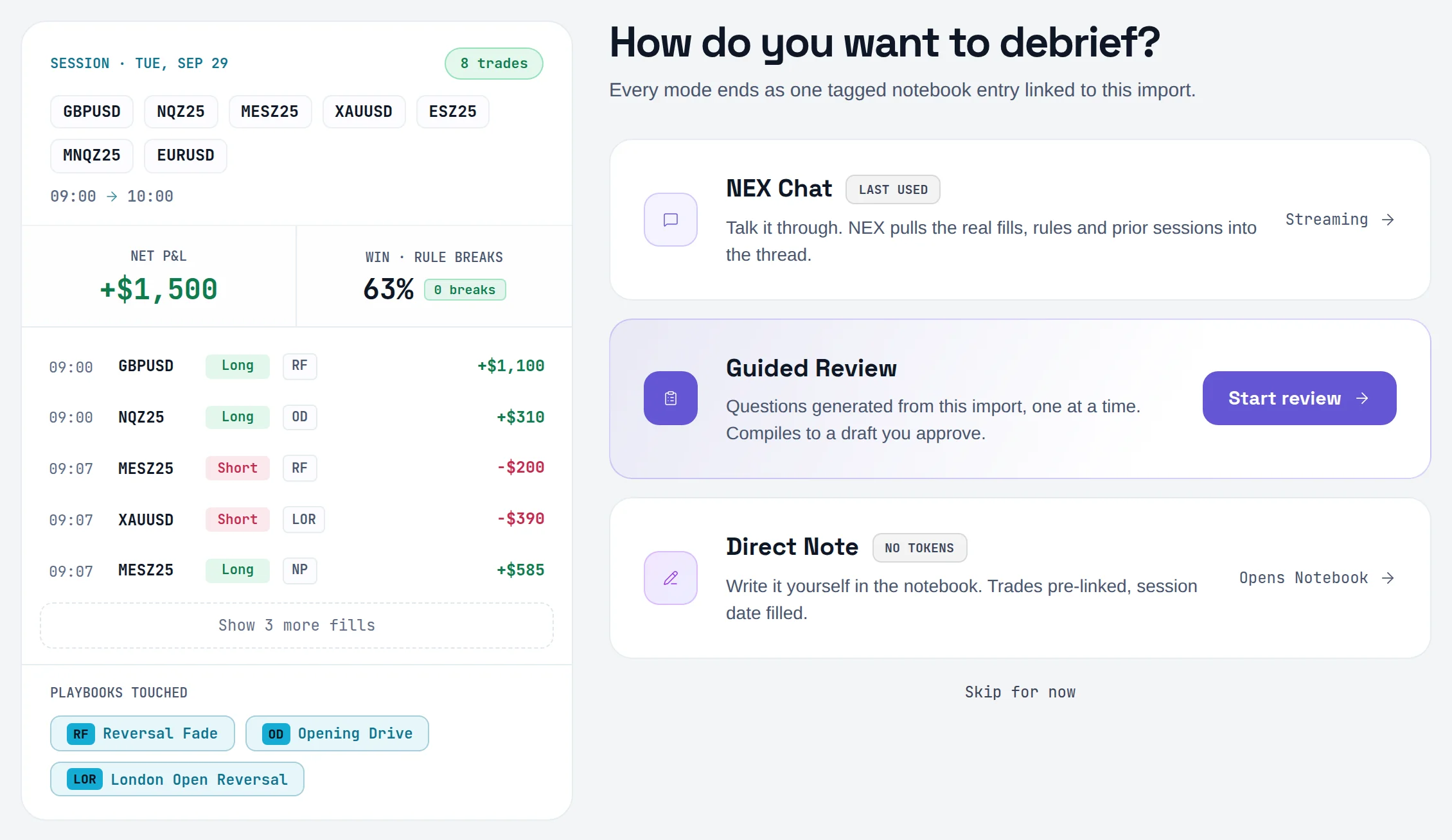
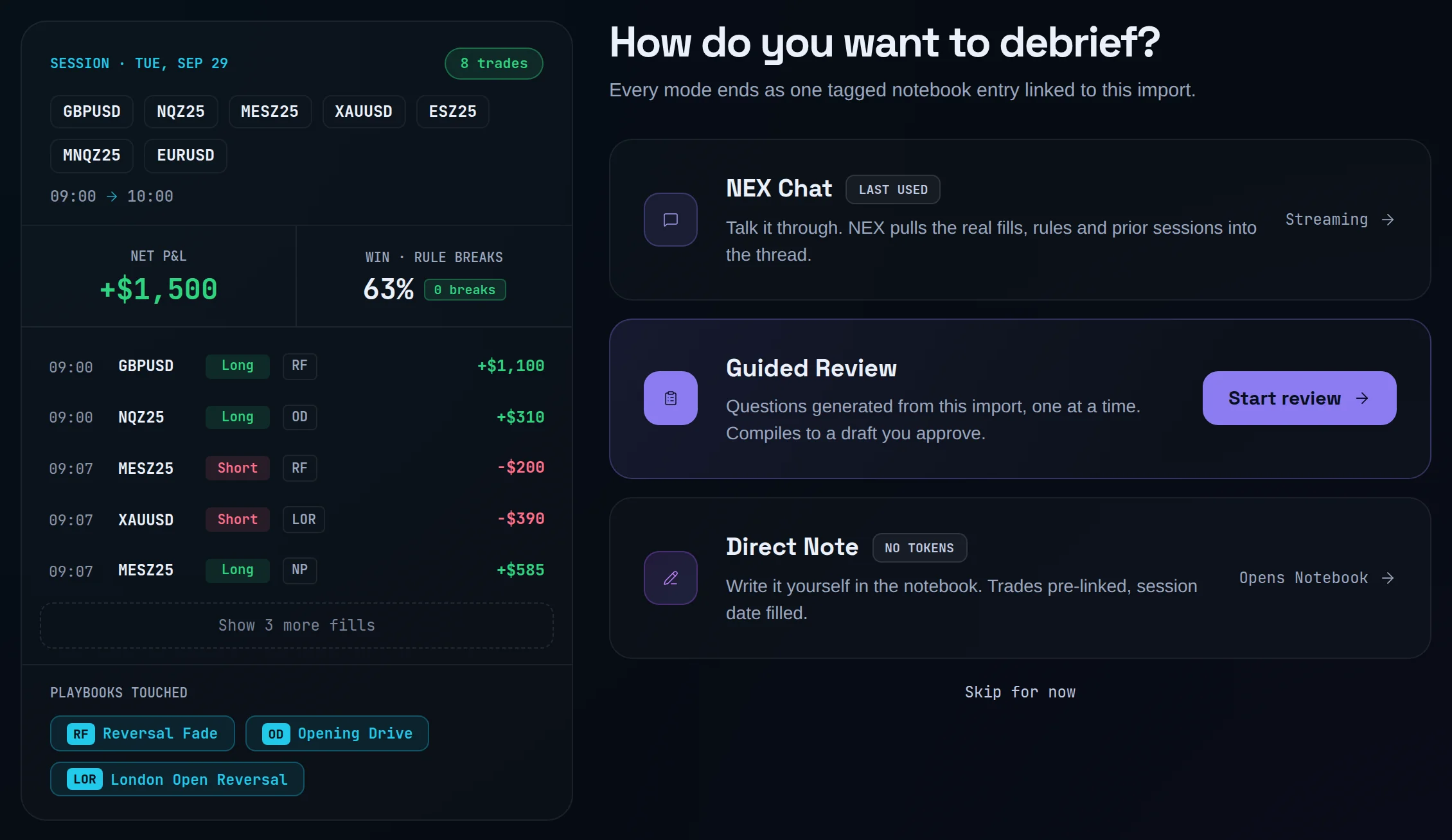
Open NEX Journal from the sidebar. The first screen asks How do you want to debrief? and every mode ends as one tagged notebook entry.
| Mode | What happens | Uses an interaction? |
|---|---|---|
| NEX Chat | You talk it through. NEX pulls the real fills, rules and prior sessions into the thread. | Yes, per answered message |
| Guided Review | NEX writes 5–8 questions from this import, one at a time, then compiles a draft you approve. | Yes: once to write the questions, once to compile |
| Direct Note | You write it yourself in the Notebook. Trades are pre-linked and the session date is filled. | No (No tokens) |
NEX highlights one mode as its suggestion. When something specific fits, it says why, for example that a fill broke a rule this session. The reason comes from your session's numbers, not from a model call, so reading it costs nothing.
Three answer modes#
NEX sorts every message before it answers. The mode decides the shape of the reply, not the facts in it.
| Answer mode | When NEX uses it | What the reply looks like |
|---|---|---|
| Conversational | Greetings, single facts, feelings, reflection, and "what should I do" questions | Two to five short sentences of prose. No headers, no bullets. |
| Analytical | Reviews, recaps, breakdowns, comparisons, "how did my shorts do" | Discipline figures first, then P&L, then What this says, then Next with three to five drill-downs. |
| Hybrid | An analytical question asked in a heated tone, or one with a behavior pattern in the data | The same figures as analytical, but the read is prose. Psychology is never bulleted. |
One rule overrides the rest. If your message carries tilt or despair ("I blew up", "revenge", "I can't stop"), NEX drops to the conversational mode whatever you asked. Less data, more room: it offers the full review for when you are ready.
A "what should I do" question gets the fix in two or three sentences plus one concrete step. The step is about your process, like a rule for your next session. It is never an entry, exit, size or market view.
Attach trades and playbooks#
The composer has two buttons. Trades picks the trades NEX reads; Playbook attaches a playbook's rules and recorded adherence. A tag above the composer shows what is attached.
Type / at the start of a message for the same controls by keyboard: /trades, /playbook, and three reads computed from your record, /mistakes, /audit and /brief.
An attached selection is a view, not a wall. Name a period ("in June") or ask about your whole record ("overall", "all time") and NEX answers from the full journal. Everything outside the selection stays queryable.
Pin replies for the draft#
Under each NEX reply, Pin to draft marks it for the notebook. When you press Compile, the draft is built from the pinned replies, each with the question that prompted it. With no pins, the whole thread is used. Clear pins in the Live context panel resets them.
Compile opens the Notebook with the draft filled in. You edit and save it there. Nothing is filed until you save.
Voice input#
Turn on Enable voice journaling in Settings › NEX › Voice journaling, and pick a Recognition language. A microphone then appears in the composer, with a live Recording clock while it listens.
Dictation uses your browser's built-in speech recognition, so it works in Chrome and Chromium browsers and not in Firefox. Settings calls Safari support limited. Typing always works.
Why NEX doesn't bring up a topic twice#
NEX remembers your active commitments and known patterns between conversations. Once it raises one of them in a conversation, that topic is dropped from what it reads for the rest of the thread. It may refer back in a few words; it will not lecture you on it again.
The same goes for its own observations. NEX answers your question first and may offer one unasked pattern as a short question, naming only the category. Say no, and that category is not offered again. Say "just the data" or "skip the feelings", and NEX stops asking about emotions until you bring them up.
Period words NEX understands#
Every period resolves to exact dates in your profile timezone, the same trading day the dashboard uses. Weeks start Monday. A range never runs past today.
| You type | NEX reads it as |
|---|---|
| "today", "this session" | Today |
| "yesterday" | Yesterday |
| "this week", "week to date" | Monday to today |
| "last week" | Last Monday to Sunday |
| "this month", "month to date", "MTD" | The 1st of this month to today. Never a trailing 30 days. |
| "last month" | The whole previous calendar month |
| "last 7 days", "last 30 days", "past 3 months" | A rolling window ending today |
| "YTD", "this year" | January 1 to today |
| "last year" | The whole previous calendar year |
| "Q1 2026", "last quarter" | That calendar quarter |
| "June", "in June 2025" | That whole month; without a year, the most recent June that has started |
| "the week of June 1" | The Monday-to-Sunday week containing June 1 |
| "June 10–20", "2026-06-01 to 2026-06-15", "6/12" | Exact dates or ranges |
"May" is also an ordinary word, so write "in May" or "May 2026" for the month. For the time of day, NEX buckets trades in your timezone: morning 06:00–11:59, afternoon 12:00–17:59, evening 18:00–23:59, overnight 00:00–05:59.
The Live context panel repeats the key rules under the list of what NEX is reading: weeks start Monday, "this month" is the calendar month to date, and trades outside the scope stay queryable.
What NEX reads#
For each message, NEX is handed a text summary of your record. The model narrates it; it never calculates.
- Your trades for the period or scope: symbol, side, time, P&L, playbook, rule breaks, mistakes, emotion and rating. Totals come first, so a long list can be cut without losing them.
- Header figures: trade count, net P&L, win rate, largest win and loss, impulsive count, rule breaks, and your Discipline Score when it can be scored. When it can't, the line is left out, never shown as zero.
- Exact subset figures when you name a slice ("my shorts this month"), computed by a direct query over that window.
- Playbooks you attach: their rules, entry and exit criteria, and recorded adherence.
- Your psychological record: your latest check-ins, recent journal sentiment and risk flags, and your Behavioral Profile, marked as possibly outdated when it is old.
- Coach memory: commitments you made, whether you kept them, patterns already raised, and topics you declined.
The Live context panel shows this as it happens: Scope, Rules in play, Pattern detected, Draft entry, NEX actions and What NEX is reading. Replies that cite a playbook or symbol carry a Sources link that opens Cited in this reply.
What NEX won't do#
- Call a market or a trade. Ask whether to buy, sell, hold, size up or move a stop, or whether "this is a good entry", and NEX answers instantly: it can review the trade against your plan and playbook, but it cannot tell you whether to enter, exit, hold or size a position.
- Invent a number. If a figure is not in what it was given, NEX says so and names the screen that owns it.
- Claim a write happened. The app confirms every change after checking it was saved. NEX only says it is applying it.
- Choose the topic for you. With no scope set and none named, NEX asks what you want to look at.
- Act as therapy. NEX uses no clinical labels. If a message shows distress beyond trading, it stops coaching and asks you to talk to someone qualified or someone you trust.
Prompts to try#
How did my shorts do this month?
How is this month going?
How did my afternoon trades do last week?
Draft my weekly review
The full list, grouped by when you'd use it, is on Prompts.
Actions and confirmations#
When you ask NEX to change something (tag a trade, link a playbook, set tomorrow's focus, log a note), it returns a NEX action card: what it will change and why. Press Apply to write it, or the cancel button to drop it. Replying "yes" in the chat applies it too; "no" cancels.
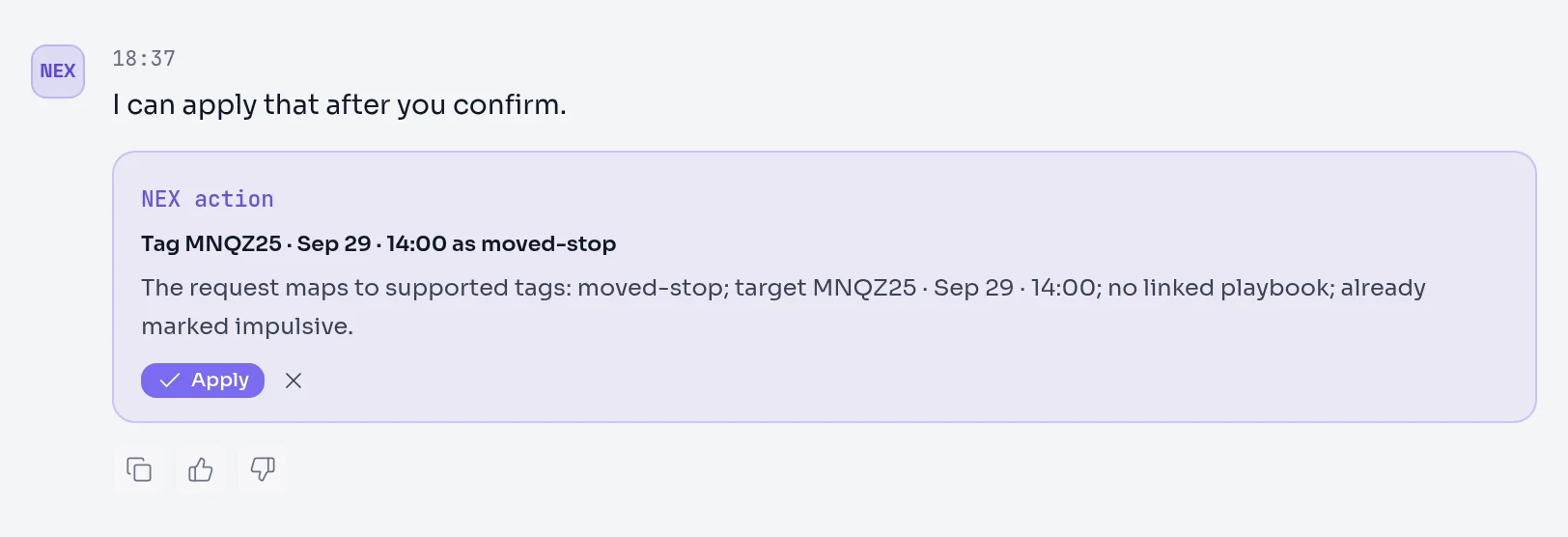
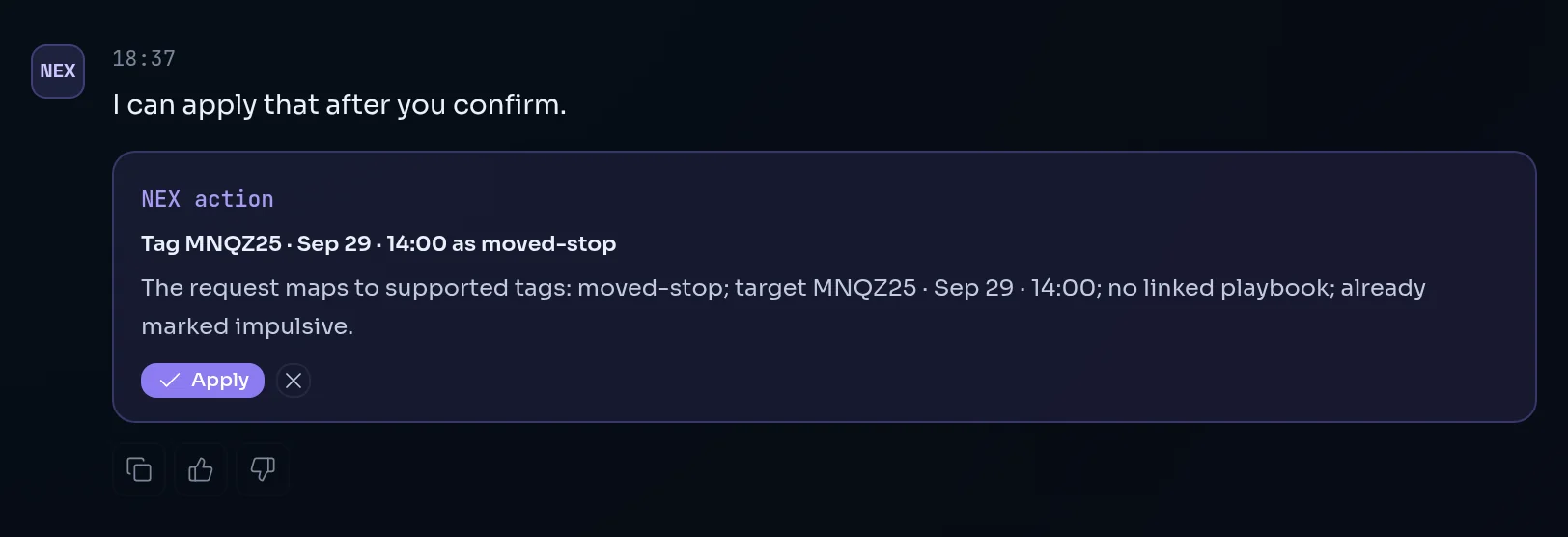
Every change NEX has written is listed in NEX actions in the Live context panel, with Undo where it can be reversed. The ten actions and how to undo each are on Actions and confirmations.
Limits#
- Each answered chat message, each capability chip and each action proposal uses one interaction. A greeting, a "thanks" or an instant decline does not.
- Direct Note uses none.
- Regenerating guided questions uses one interaction and is capped per review.
- When the AI provider is unavailable, NEX falls back to a limited automated summary and marks it.
- Delete conversation in the chat menu removes a thread. The transcript cannot be recovered.
Frequently asked questions#
Why does NEX answer some questions in bullets and others in plain sentences?#
NEX sorts each message into one of three answer modes. Reviews and breakdowns get a structured reply with your discipline figures first, then P&L, then a short read and next steps. Feelings, single facts and "what should I do" questions get two to five sentences of prose. When your message sounds tilted or desperate, NEX always answers in prose, whatever you asked, and offers the full breakdown for later.
What does "this month" mean in NEX?#
"This month" is the calendar month to date: the 1st to today, in your profile timezone. It is never a trailing 30 days. If you want a rolling window, say "last 30 days". NEX states the window it used with every figure, and it uses the same calendar as the dashboard, so the two always agree.
Can I use NEX with my voice?#
Yes. Turn on Enable voice journaling in Settings › NEX and choose your recognition language. The microphone appears in the chat composer and in the guided review. Dictation runs on your browser's own speech recognition, so it works in Chrome and Chromium browsers but not in Firefox. You can always type instead.
Why did NEX answer about my whole journal when I had trades attached?#
Naming a period ("in June", "last week") or asking about your whole record ("overall", "all time") widens the answer to your full journal, even with trades attached. An attached selection is a starting view, not a limit. To keep NEX on your selection, ask about "these trades" without naming another period.
How do I turn a NEX conversation into a journal entry?#
Pin the replies you want with Pin to draft, then press Compile. Limbix opens the Notebook with a draft built from the pinned replies and the questions that led to them. Without pins it uses the whole thread. You edit the draft and save it yourself, and the conversation is marked as compiled once you save.