
02 · Guides
Discipline & Risk: read your discipline score
How to read your discipline score, the Risk Score that caps it, the rule leaderboard and what violations cost on the Discipline & Risk page in Limbix.
The Discipline & Risk page is the trading discipline tracker in Limbix. It shows how well you follow your own rules and how survivable your risk-taking is. Your discipline score is the share of rule checks you kept, capped by a Risk Score built from the last 30 days. Below it sit the rule leaderboard, what your violations cost, and every breach.
Before you start#
The page scores your rules, so it needs rules to score. Three things fill it in, and the page's own Start here panel lists the same three.
- Rules. Link each trade to a playbook with written rules. See how to link a playbook.
- Stops. A recorded stop on each trade gives it a risk amount, which most of the Risk Score is built on. See add a stop and target.
- Limits. A daily loss limit or a max trades per day lets exposure be scored against your own line. Set them in Settings › NEX.
Read your discipline score#
You will know what the big number on the left means, and why it can sit below your rule compliance.
Open the page
In the sidebar, under Analytics, click Discipline & Risk.
Read the left ring
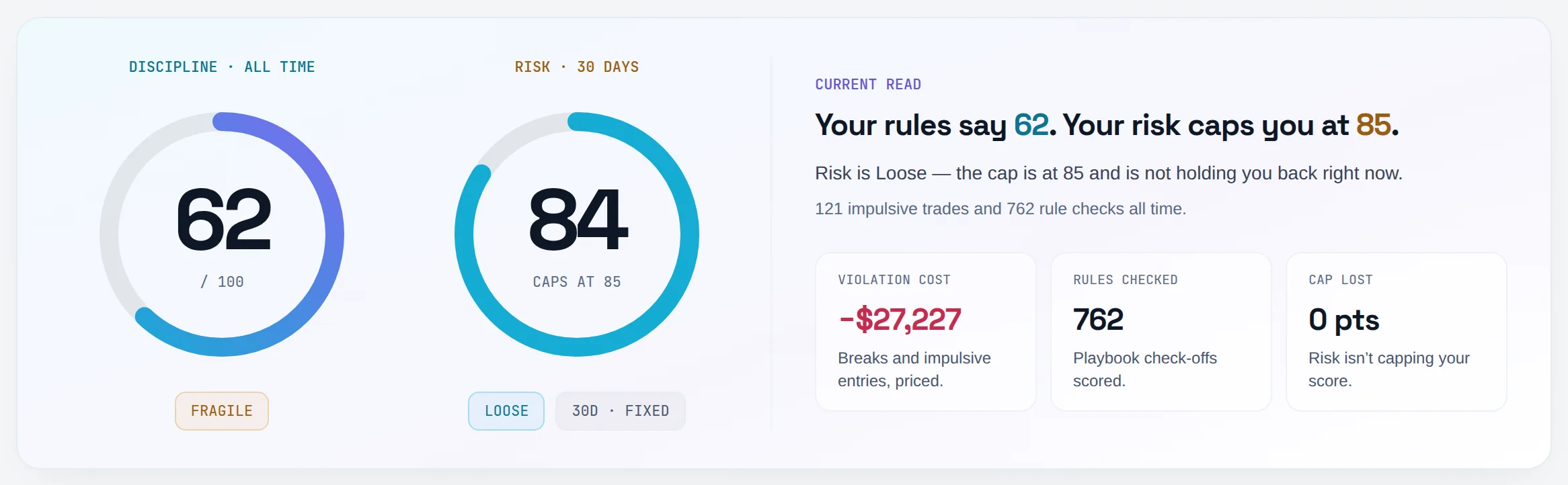
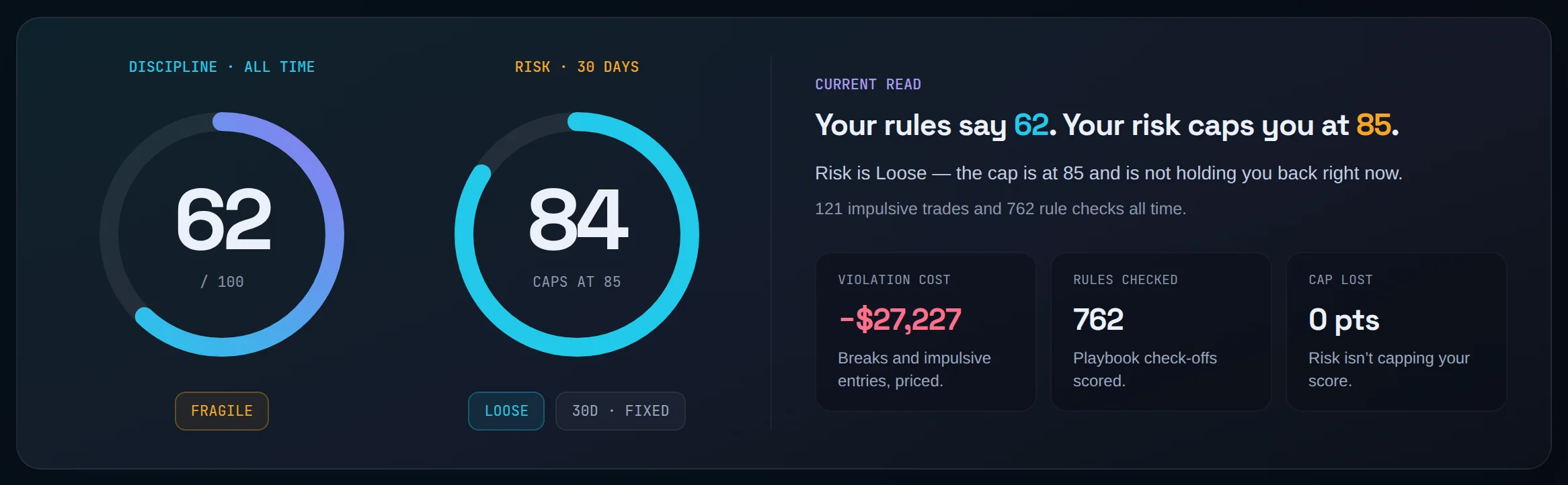
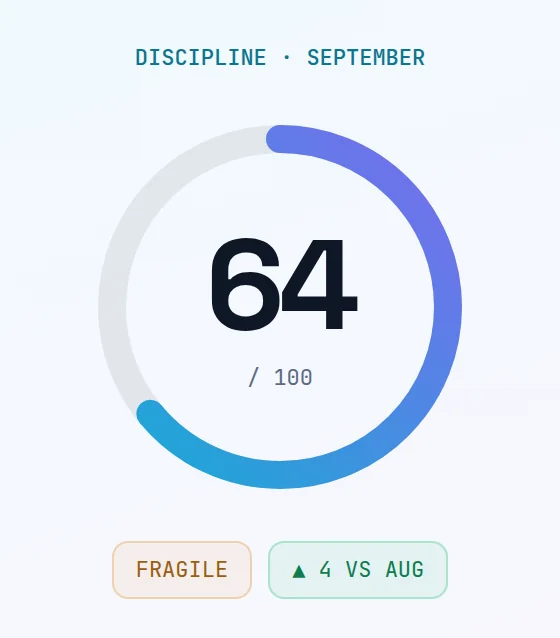
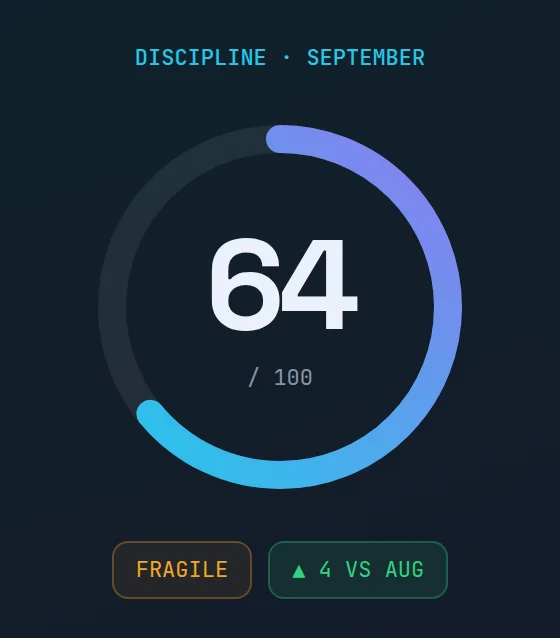
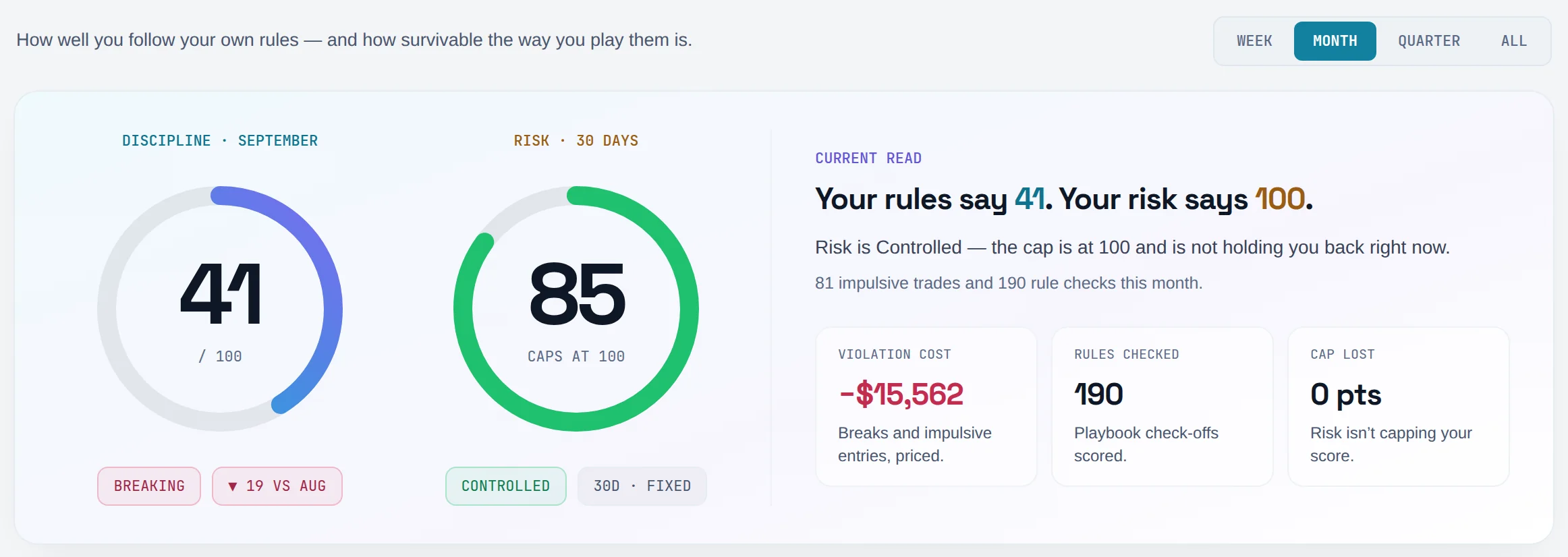
The ring headed Discipline is your discipline score out of 100 for the selected period. The chip under it names the band: Strong, Building, Fragile or Breaking.
- Breaking 0 to 50
- Fragile 50 to 70
- Building 70 to 85
- Strong 85 to 100
Read the sentence beside the rings
Under Current read, the headline says "Your rules say X. Your risk caps you at Y." X is your rule compliance. Y is the highest discipline score your current risk band allows, the same number as Caps at under the risk ring. It is not your Risk Score.
Check whether risk is holding you back
If the ring's caption reads Held from a number, your risk band is capping the score. A faint arc shows where your rule compliance alone would put you. The sentence under the headline names the next risk score that lifts the cap.
Compare with the last period
The second chip, such as "▲ 6 vs Aug", is the change against the window of the same length just before this one.
Read the three tiles
Violation cost, Rules checked and Cap lost sit under the sentence. The table below says what each one counts.
What every number here means:
| Number | What it counts | Formula page |
|---|---|---|
| Discipline ring | Rule compliance, capped by the ceiling of your risk band: the lower of the two | Discipline Score |
| Rule compliance ("Your rules say") | Rules followed ÷ rule checks, where each impulsive trade adds phantom checks it fails | Rule Compliance |
| Rules checked | Real playbook rule check-offs in the period. Phantom checks are not counted here | Rule Compliance |
| Cap lost | Rule compliance minus the capped score. "0 pts" when risk isn't capping you | Risk Score |
| Violation cost | The losses on trades that broke a rule or had no playbook | Cost of Violations |
| Violating trades | Trades that broke at least one rule or had no playbook, and their share of all trades | Rule Compliance |
| Impulsive trades | Trades with no linked playbook, how many of them lost, and their net P&L | Impulsive Trade Count |
Worked example. This month you took 12 planned trades on your one playbook, which has 3 rules, so 36 checks, and followed 31. You also took 2 impulsive trades. Each counts as if it broke a typical playbook's worth of rules, which for you is 3 phantom checks. Rule compliance is 31 ÷ (36 + 6) = 73.8%, shown as 74. Your Risk Score is 66, which is Fragile, and the page shows your current cap under the Risk ring, after Caps at. Here the Fragile cap sits below your 74, so it holds your discipline below your compliance: the ring shows the cap, its caption reads Held from 74, and Cap lost shows the gap.
Read the risk ring#
You will know how survivable your recent risk-taking is, and why it doesn't move when you change the period.
Find the right ring
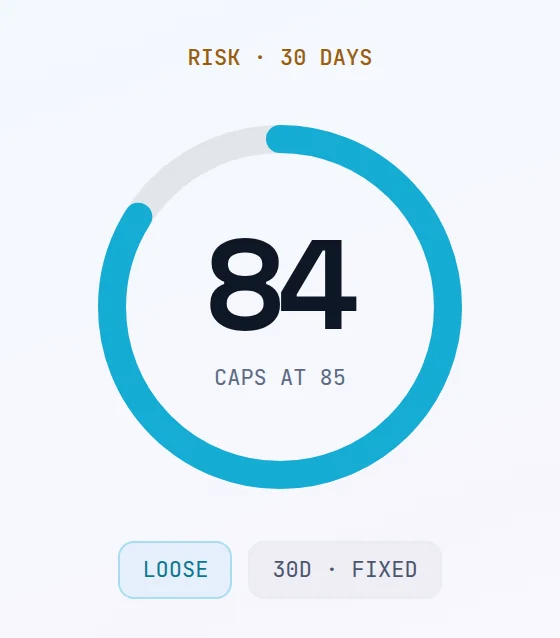
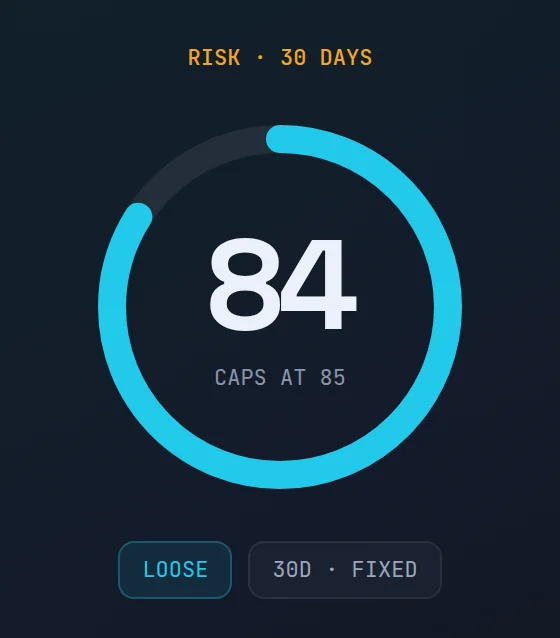
The ring headed Risk shows your Risk Score out of 100. It is always measured over the trailing 30 days.
Read the band
The chip under the ring names the band: Controlled, Loose, Fragile or Reckless. Each band sets a ceiling on your discipline score, and the lower the band, the lower the ceiling. The caption Caps at prints your current one.
- Reckless 0 to 50
- Fragile 50 to 70
- Loose 70 to 85
- Controlled 85 to 100
Notice the fixed window
The 30d · fixed chip means the risk window ignores the Week / Month / Quarter / All pills. Switching period moves discipline and leaves risk where it is. That is by design, not a stuck page.
If the ring shows no number
A caption of Needs stops means the score isn't measurable yet. The paragraph under Current read names the exact gate that held, for example too few trades with a recorded risk.
Find the weakest part of your risk#
You will see which of the four risk components is holding your Risk Score down, and what to change about your execution tomorrow.
Scroll to the breakdown
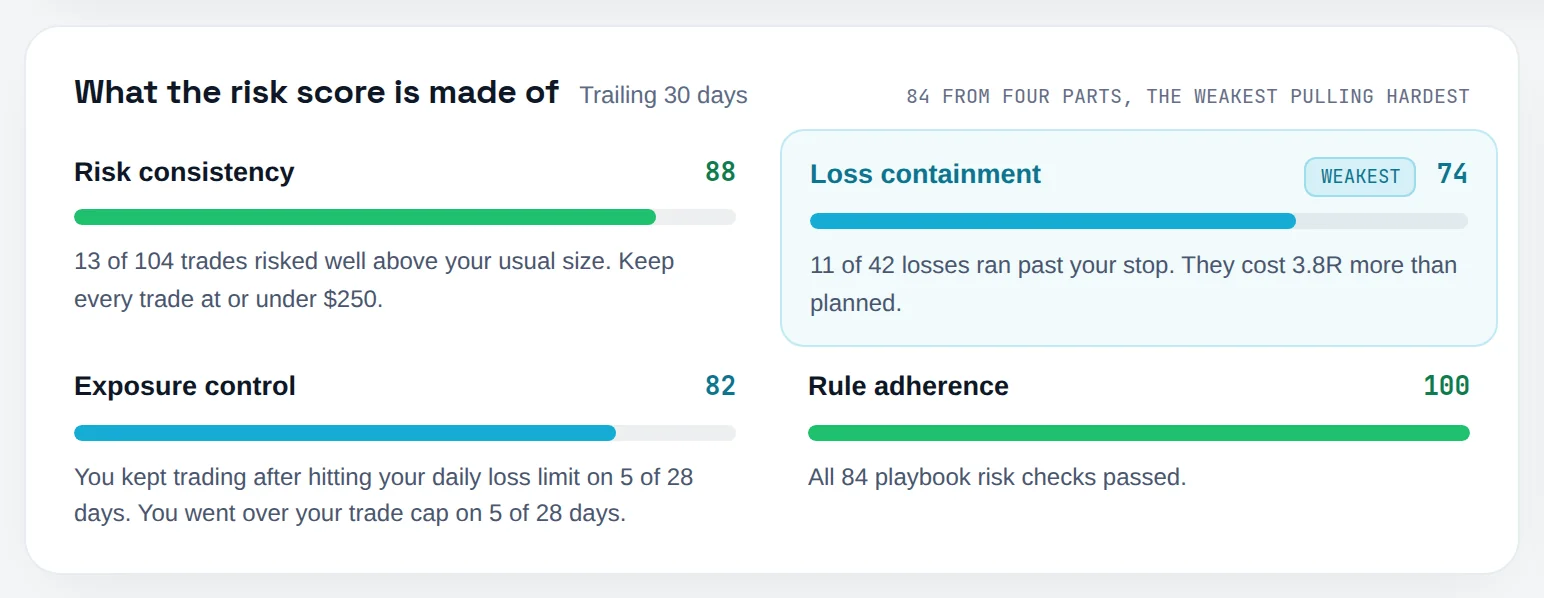
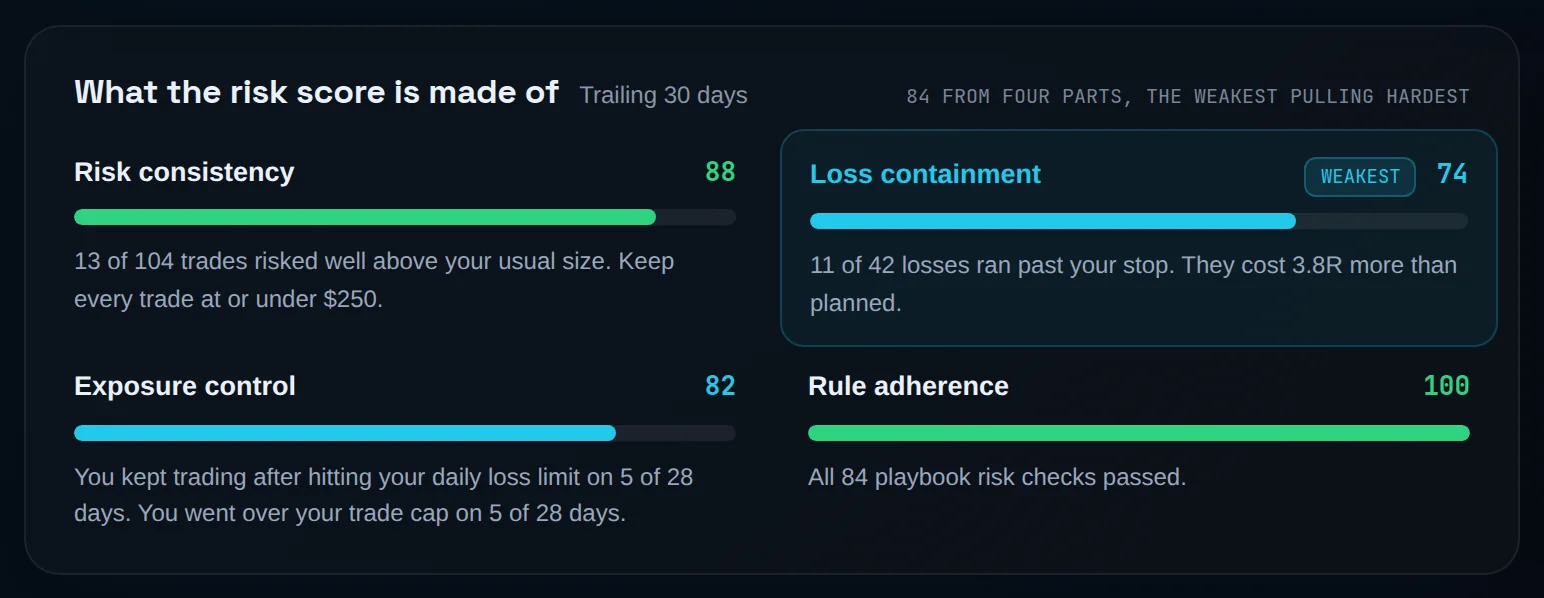
Under the rings, find the card What the risk score is made of. It always covers the trailing 30 days.
Read each rail
Each row shows a component's score and a bar. Risk consistency and Loss containment carry most of the score's weight; Exposure control and Rule adherence carry the rest. A row that can't be measured yet is left out, never counted as zero, and the others share its weight.
Find the Weakest badge
The row marked Weakest is the lowest measured component. One very weak part pulls the whole score down, so you can't average your way past it with strong rows elsewhere.
Read the sentence under the weakest row
Each measured row carries a sentence built from your own trades, such as how far your largest risk strayed from your typical risk. That sentence is the thing to act on.
Fill in a row that shows —
A row with "—" says why it can't be measured. Exposure control links to Set your risk profile in Settings. Rule adherence links to Open playbooks, where you add risk rules.
| Row on the card | What it measures | Formula page |
|---|---|---|
| Risk consistency | How evenly you size against your own median risk. Risking less is never penalised | Risk Consistency |
| Loss containment | Share of losers with a real stop that closed at their stop, with a small allowance for slippage and fees | Loss Containment |
| Exposure control | Whether you stopped at your daily loss limit and stayed within your max trades per day | Exposure Discipline |
| Rule adherence | Whether each trade obeyed its playbook's risk rules: max risk, min R:R, max hold | Risk Rule Adherence |
Beside the breakdown sits Your stand-down line. It is marked Not scored and has no weight: it counts the trades you took after your own pre-set stopping point and never blocks one. Read more on the stand-down line.
Use the rule leaderboard#
You will see which of your rules you break most, and what each one leaks. This card needs Pro.
Find the card
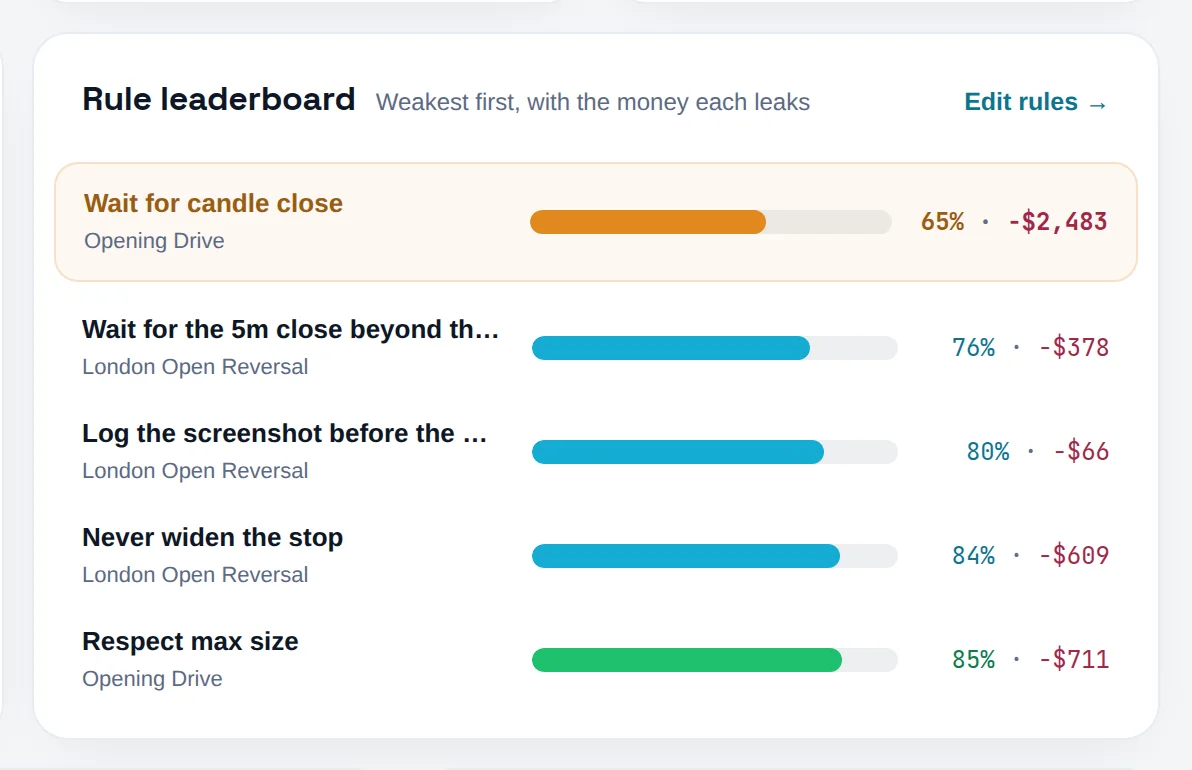
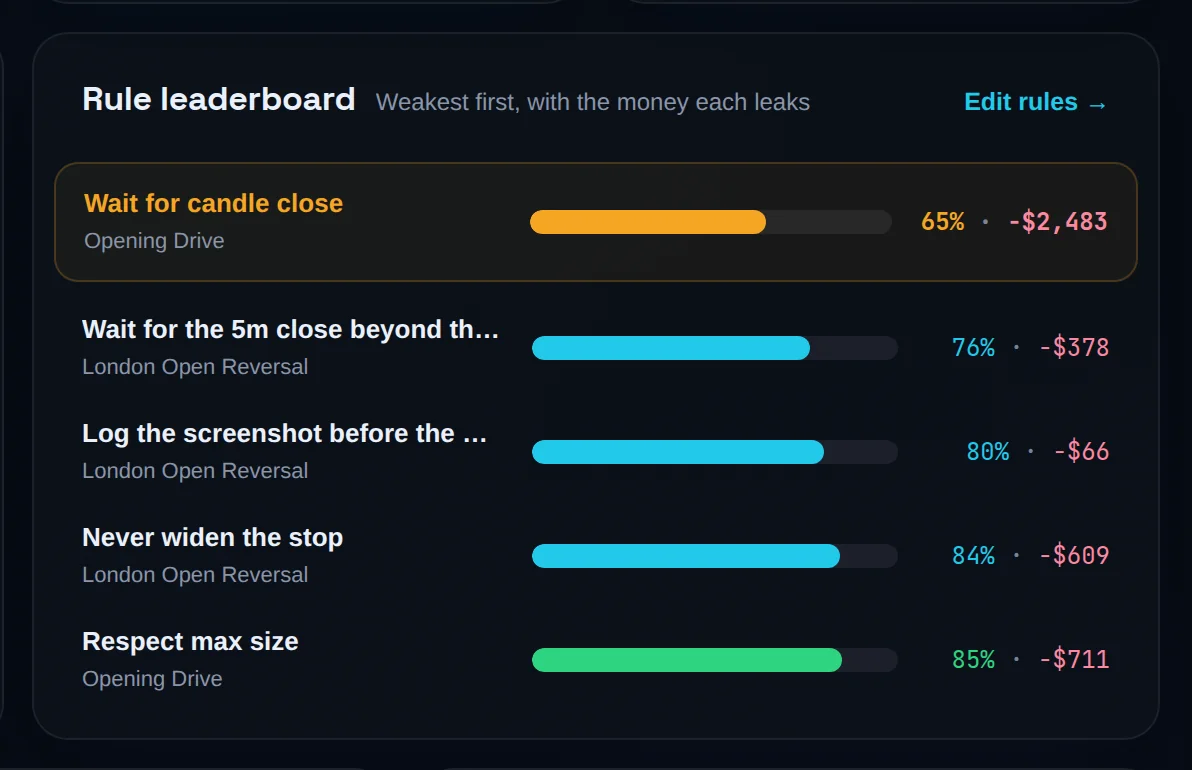
Beside Score trend, find Rule leaderboard. It lists your five weakest rules, worst first.
Read a row
Each row shows the rule, the playbook it belongs to, its compliance rate and the money it leaks. Compliance is times followed ÷ times checked. The money is the sum of losses on trades that broke that rule.
Open the full ranking
Click Show all … rules to open every rule in a drawer, with totals for Rules, Broken and Leaked.
Fix the rule, or the rule set
Click Edit rules → to open your playbooks. A rule you keep under half the time is worth rewriting or dropping.
Impulsive trades are not on the leaderboard: a trade with no playbook has no rule to rank. They show up in the score through phantom checks and in the Impulsive trades card.
See what your violations cost#
You will put a price on every broken rule and every unplanned entry.
Read the headline cost
The Violation cost tile in the hero is the sum of losses on every violating trade in the period. Winning trades that broke a rule are not subtracted from it.
Read the impulsive cost
The Impulsive trades card shows how many trades had no playbook, how many of those lost, and their net P&L.
Open the breach list
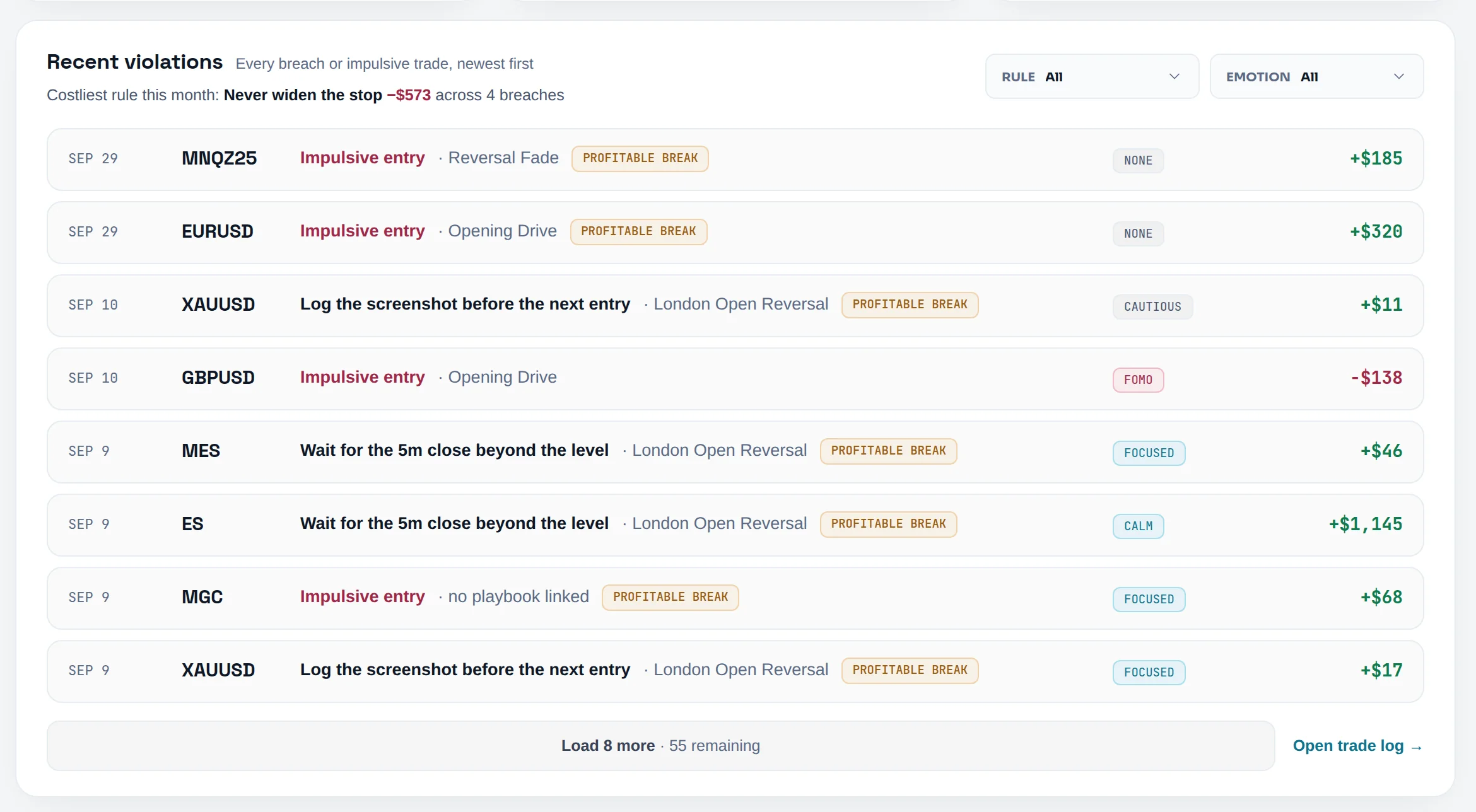
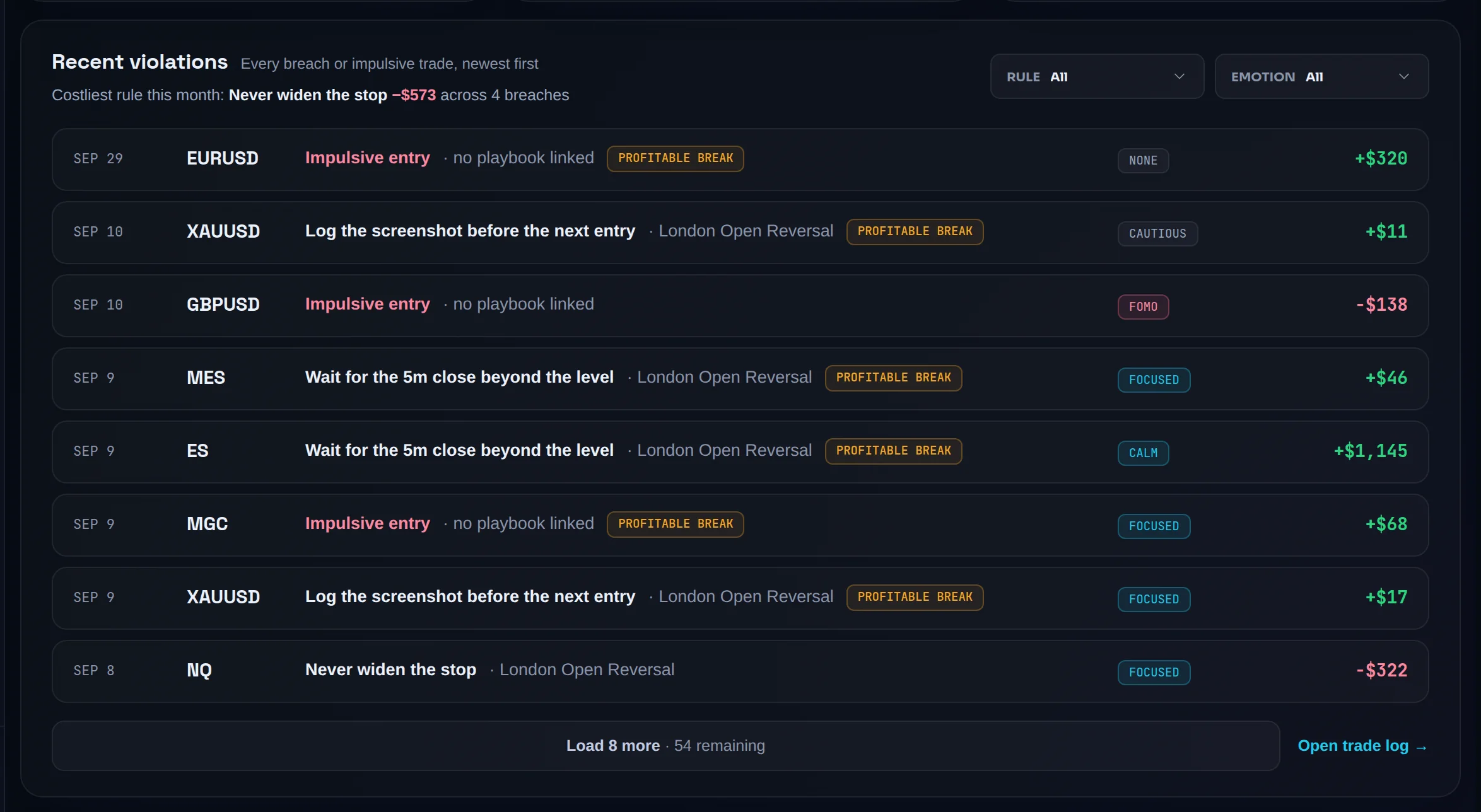
Scroll to Recent violations. Each row is one broken rule or one impulsive entry, newest first, with the symbol, the emotion you tagged and the trade's P&L. A winning trade that broke a rule is marked Profitable break.
Narrow the list
Use the Rule and Emotion menus above the list. Choose Impulsive only under Rule to see only unplanned entries. The line Costliest rule names the rule that lost you the most in the period.
Open the trade
Click any row to open its trade. Click Load … more to page further down the list.
Read the Pro breakdowns
On Pro, Most violated rule and Costliest emotion sit beside the impulsive card. Below the leaderboard, Emotional discipline matrix scores you under each tagged emotion, Violation cost by emotion prices the states your breaks came from, and Cost per mistake prices each tagged mistake.


Worked example. This month three trades broke a rule: −€320, −€180 and +€240. Violation cost reads −€500, the two losses added. The +€240 trade still appears in Recent violations, flagged Profitable break, because breaking a rule and winning is still breaking a rule. See Cost of Violations and Mistake Cost.
Switch the period#
You will score a different window, and know which numbers follow it.
Pick a period
Use the pills at the top: Week, Month, Quarter or All. The page opens on Month.
Know what each window covers
Week runs Monday to today. Month runs from the 1st to today. Quarter runs from the start of the calendar quarter to today. All is every trade. Days follow your profile timezone, see trading day.
Read the Score trend
Score trend draws six bars, one per week, month or quarter (All draws months). Each bar is filled to its capped score, with a dashed outline up to its rule compliance where the cap took something. The dashed Cap line is today's ceiling.
Remember what stays put
The Risk ring, the risk breakdown and the stand-down card always use the trailing 30 days. Changing period also clears the Rule and Emotion filters on Recent violations.
Export your violations#
You will download every violation in the current view as a CSV you can sort in a spreadsheet.
Set the scope
Pick the period, and optionally a Rule or Emotion filter. The file uses exactly what the page shows.
Click Export
Click Export at the top right of the page. The file downloads straight away. The button is greyed out, with the hint "Nothing to export yet", until you have trades.


Open the file
One row per violation, newest first, with these columns: Date, Symbol, Violation, Playbooks, Impulsive, Profitable break, Emotion, P&L, Currency, Trade ID. P&L is written as a plain number so it sums. The file includes every matching row, not only the ones loaded on screen.
The file name records the scope, for example limbix-discipline-month-2026-09-28.csv, with -filtered added when a rule or emotion filter was on.
Common problems#
The ring says "No score yet" or "No scored trades in this range yet." No trade in the period carries a rule check. Link trades to a playbook with rules, or pick a longer period.
A panel says "Discipline blocked · Every trade was impulsive". None of the trades in the period is linked to a playbook, so there is no rule to score. Use Create playbooks → or Open trade log on that panel.
I followed more rules but my score didn't move. Your risk band is capping it. The caption reads Held from your rule compliance. Raise the weakest risk component to lift the ceiling.
The Risk ring shows "Needs stops". Not enough of the Risk Score can be measured. Record stops, and set a daily loss limit, then check the gates listed in Before you start.
The sentence says the cap starts on a future date. Some accounts are in a grace period. The ceiling is shown but not yet subtracted, and the sentence names the date it applies from.
I changed a limit in Settings and the page still shows the old picture. Limits and the stand-down line load when the page opens. Reload the page after saving.
A notice says history is being recalculated. You changed your timezone, and past days are being re-bucketed. Scores may be incomplete until it finishes. See trading day.
Frequently asked questions#
What is a good discipline score? Limbix names four bands. Strong starts at 85, Building at 70, Fragile at 50, and anything lower is Breaking. The number compares you only with your own rules, so a trader with three strict rules and one with ten loose ones can both score Strong. Compare your score with your own last period, not with someone else's.
Why is my discipline score lower than my rule compliance? Because your Risk Score caps it. Each risk band has a ceiling, and your discipline score is the lower of rule compliance and that ceiling. The ring caption shows Held from your uncapped number, and Cap lost shows the gap. Following your rules while sizing erratically is not full discipline, so the score won't call it that. Lift the weakest risk component to raise the ceiling.
Why doesn't my Risk Score change when I switch to Week? The Risk Score always uses the trailing 30 days, whatever period you pick. The 30d · fixed chip on the ring says so. The period pills change the discipline score, the trend bars and the violation list. Risk describes how survivable your current habits are, so it stays on one consistent window instead of stretching over a quarter.
Does breaking my stand-down line lower my score? No. The stand-down line is a stopping point you set yourself, such as "after 2 rule breaks" or "after −3R in a day". Limbix counts the trades you took past it and shows them on Your stand-down line, which is marked Not scored. It never feeds the Risk Score, never changes your discipline score and never blocks a trade.
Can Limbix stop me from trading when I break a rule? No. Limbix has read-only access to your trade history and cannot place, modify or cancel orders. The Discipline & Risk page describes what you already did: which rules you kept, which you broke and what it cost. What you change about your execution next is your decision.