
04 · Metrics
Mistake Cost
Mistake Cost is the total net P&L of the trades flagged with one mistake. It ranks which habit is costing you most, from revenge entries to oversized positions.
Total P&L on trades flagged with this mistake. Lets you rank which bad habit is hurting you the most right now. In Limbix a mistake comes from a detector or from your own label on the trade. Mistake cost is a net figure, so winning trades with that mistake count too.
How it's calculated#
- m
- One mistake category: a detected one such as Revenge Trade, or a custom one you named.
- trades flagged m
- Every trade in the range carrying that mistake. A trade flagged both by a detector and by you counts once.
- Net P&L
- The trade's P&L after fees.
src/lib/analytics-compute.tsMistakes reach a trade two ways:
- Detected. Limbix runs its detectors every time a trade is saved or imported. They are listed with their exact rules on mistake detectors. You can't remove a detected mistake by hand.
- Your own. You add a label in the trade's MISTAKES field. It is stored as a
mistake:tag, so it follows the trade into every filter.
A trade with two mistakes counts its full P&L under each. Category costs can therefore add up to more than the money you actually lost.
Four surfaces, four scopes. Each is labelled on screen:
| Where | Label | What it adds up |
|---|---|---|
| Analytics › Mistakes, each category | NET P&L | Net P&L of every trade with that mistake |
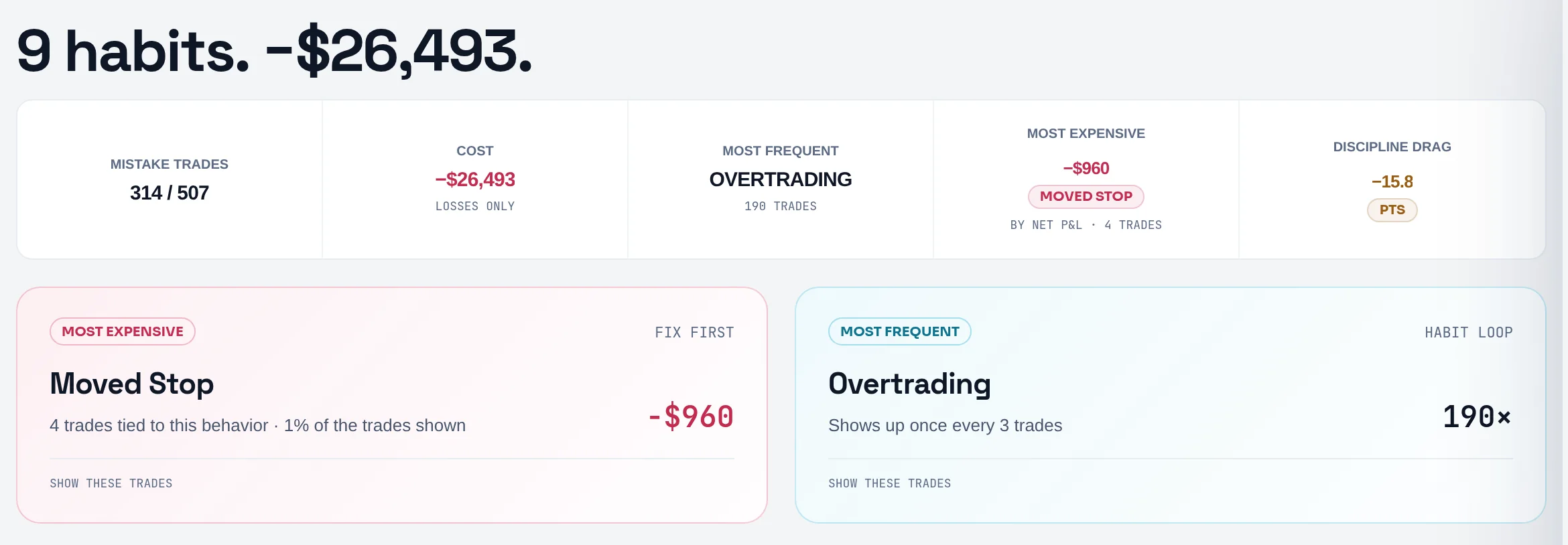
| Analytics › Mistakes, top strip | COST ("LOSSES ONLY") | Net P&L of the losing trades that carry any mistake, each trade once |
| Discipline & Risk card | Cost per mistake | Net P&L of trades that carry the mistake and broke a playbook rule |
| Reports › Breakdowns › Tags | MISTAKE COST | Net or gross P&L (your P&L basis) of every trade with any mistake |
Worked example#
In your range, five trades carry mistakes:
| Trade | Mistakes | Net P&L |
|---|---|---|
| A | Revenge Trade | −€220 |
| B | Revenge Trade, Oversized Position | −€180 |
| C | Revenge Trade | +€90 |
| D | Oversized Position | −€380 |
| E | Oversized Position | +€140 |
- Revenge Trade: −220 − 180 + 90 = −€310 across 3 trades.
- Oversized Position: −180 − 380 + 140 = −€420 across 3 trades.
MOST EXPENSIVE reads Oversized Position −€420. Trade B counts in both rows, so the rows total −€730. Your actual net across the five trades is −220 − 180 + 90 − 380 + 140 = −€550. The COST tile adds only the losers once each: −220 − 180 − 380 = −€780.
When it shows "—"#
| What you see | Why |
|---|---|
| "Nothing flagged in this slice." | No trade in the range carries a mistake |
| COST shows "—" | No losing trade in the range carries a mistake |
| MOST EXPENSIVE shows "—" | Every category netted zero or better |
| Costliest mistakes says none lost money net | Mistakes were flagged, but each category netted green |
| TREND reads — FLAT | The category has fewer than two days of data in the range |
What's a good mistake cost?#
As close to zero as you can get it, with the number of flagged trades falling too. There is no benchmark, because the figure scales with your size. Compare each category with your own net P&L for the range instead: a habit costing a third of your gross gains deserves more attention than one costing a few euros.
How to improve it#
- Start with MOST EXPENSIVE, not MOST FREQUENT. The strip shows both. The expensive one is marked FIX FIRST. See rank mistakes by cost.
- Make it a rule. Select a category and Limbix offers a playbook rule for that habit, under MAKE IT A RULE · DRAFTS A NEW PLAYBOOK WITH IT. Nothing is saved until you save it. See add a rule to a playbook.
- Carry it into tomorrow. On Pro and Ultimate, Put … on today's avoid list adds the habit to your pre-trade check-in. See check-ins.
- Name your own habits. If a pattern keeps costing you and no detector covers it, add it as a custom mistake. See mistakes on a trade.
Where you'll see it#
- Analytics › Mistakes (
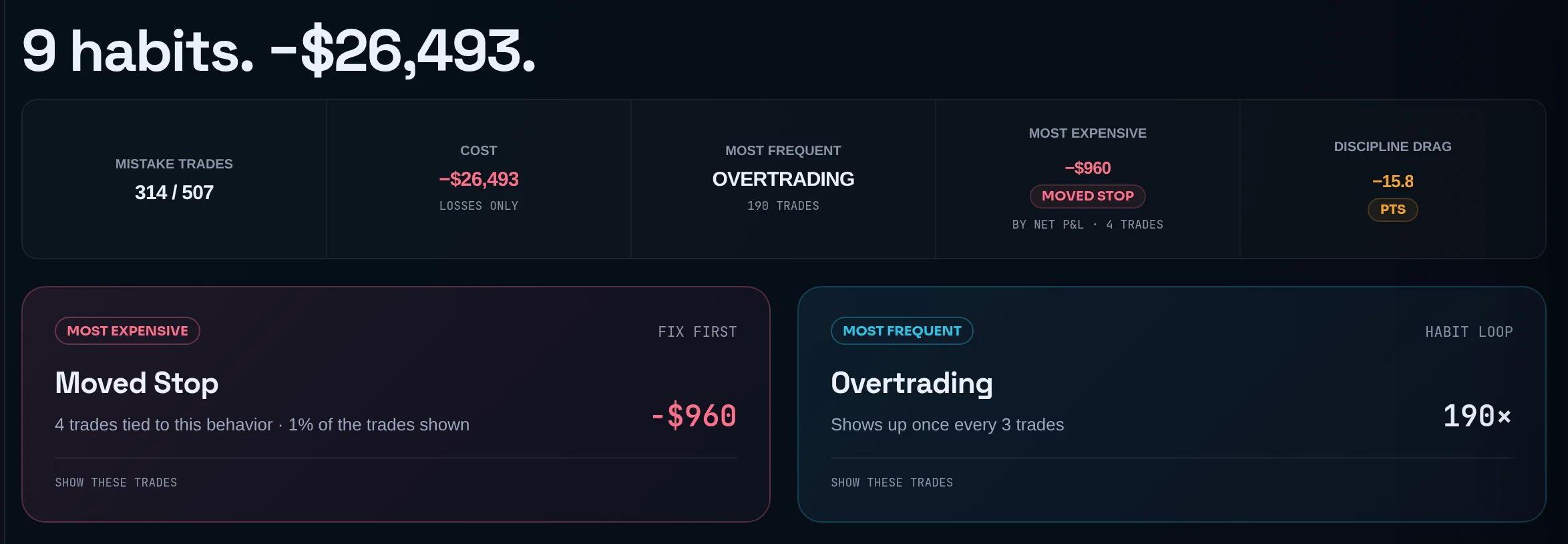
/analytics/mistakes): the strip (MISTAKE TRADES, COST, MOST FREQUENT, MOST EXPENSIVE, DISCIPLINE DRAG), the Impact by category chart and the CATEGORIES cards. See the Analytics guide. - Analytics › Summary: Costliest mistakes, "Ranked by capital drained.", up to five categories that lost money net.
- Discipline & Risk: Cost per mistake (Pro and Ultimate). See cost of violations.
- Reports: the MISTAKE COST tile on the Tags breakdown. See Reports breakdowns.
The mistake tracker, including its money figures, is available on every plan.
Frequently asked questions#
Why is a mistake showing a positive cost?#
Because mistake cost is the net P&L of every trade flagged with that mistake, winners included. If your oversized trades happened to win more than they lost this month, the figure is green. The habit is still flagged because the process broke, not because the outcome was bad. The Summary's Costliest mistakes list leaves green categories out and says how many it skipped.
Why do my mistake costs add up to more than my losses?#
A trade flagged with two mistakes counts its full P&L under both categories. Splitting it would invent a share nobody measured. For a figure that counts each trade once, read the COST tile at the top of the Mistakes board. It adds only the losing trades that carry any mistake, each one once.
How is mistake cost different from cost of violations?#
Cost of violations prices the trades where you broke one of your own playbook rules. Mistake cost prices trades carrying a named mistake, detected or added by you. The two overlap but are not the same: an impulsive trade has no playbook rules to break, and a rule break carries no mistake unless one was flagged.
Can I delete a mistake Limbix detected?#
No. Detected mistakes carry an AUTO mark and can't be removed by hand. That is deliberate: a journal where you can delete the evidence stops being useful. If the flag came from wrong data, such as a wrong emotion or a wrong planned size, fix the trade and the detectors run again when you save.
Is the mistake tracker on the Essential plan?#
Yes. The Mistakes board, its money figures and custom mistakes are available on every plan. The Cost per mistake card on the Discipline & Risk page is part of the Pro breakdowns, and the check-in avoid list needs NEX, which starts on Pro.