
04 · Metrics
Net P&L
Net P&L is the sum of every trade's profit or loss after fees. How Limbix totals it, when it reads N/A or Mixed, and why it differs from your broker.
Net P&L is the total profit or loss of every trade in the range you're viewing, after commissions and fees. In Limbix it is the bottom line that every other performance figure explains: win rate, profit factor and expectancy describe how you got there. It is summed exactly as recorded, with no rounding and no currency conversion.
How it's calculated#
- P&L of trade i
- The trade's P&L after fees (Net), or before fees when Reports is set to Gross
- n
- Every trade in the range and filters you picked, open positions included at €0
src/lib/metrics.tsLimbix adds up the P&L of each trade in your range. A trade belongs to the range by the day you opened it, in your profile timezone. A position that hasn't closed yet has no P&L, so it adds €0 until it does.
Worked example#
You take ten trades in one week. After fees, they close at:
| Trade | 1 | 2 | 3 | 4 | 5 | 6 | 7 | 8 | 9 | 10 |
|---|---|---|---|---|---|---|---|---|---|---|
| Net P&L | +€300 | −€150 | +€500 | −€200 | −€250 | €0 | +€600 | −€100 | −€300 | +€200 |
Winners add up to €1,600. Losers add up to −€1,000. Trade 6 is a scratch and adds nothing.
Net P&L = €1,600 − €1,000 = +€600.
If each trade paid €8 in commissions (€80 in total), switching Reports to Gross shows +€680 for the same ten trades.
When it shows "—"#
| Situation | What you see |
|---|---|
| No trades in the selected range | "—" on the Dashboard, "N/A" in the Reports ledger |
| Your filter spans trades in more than one currency | Mixed ("across currencies") in the Trade Log, MIXED in Analytics |
| A trade is still open | It counts as €0 until it closes |
Reports shows "N/A" rather than €0 on an empty range on purpose. A sum over nothing is zero in arithmetic, but "€0" on a stat sheet reads like a measured week that broke even.
Limbix stores no exchange rates. Adding euros to dollars and printing one symbol on the result would give you a number that means nothing, so the total is withheld instead. Filter to one account to see it.
What's a good net P&L?#
There is no benchmark for net P&L, and the tooltip gives none. A positive number over a small sample says little about your process.
Read it with three other figures:
- Trade expectancy: net P&L ÷ trades. Tells you whether each extra trade adds or subtracts.
- Max drawdown: what you went through to earn it. +€600 with a −€450 drawdown on the way is a rougher week than it looks.
- Discipline Score: whether the money came from your plan or from breaking it.
How to improve it#
Net P&L improves when your execution does. These are the levers you control:
- Measure your fee drag. Compare Net and Gross in Reports. A wide gap on small winners means you pay away your edge. See switch between net and gross.
- Find the mistake that costs the most. Analytics ranks mistakes by the money they drained. See mistakes by cost.
- Price your rule breaks. Cost of Violations totals the P&L of trades where you broke your own rules.
- Size every trade the same way. Uneven risk turns one bad trade into a lost week. See Risk Consistency.
Where you'll see it#
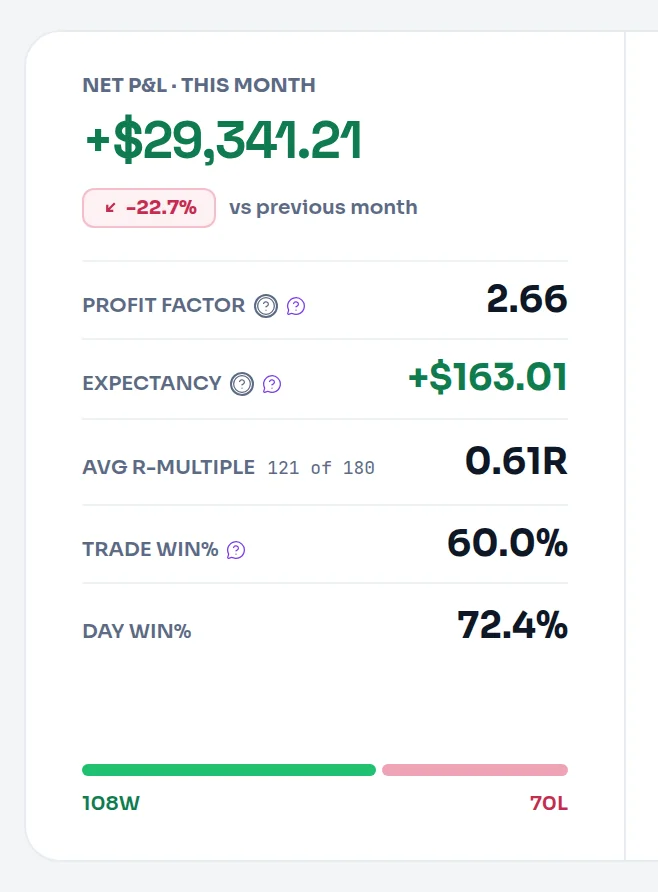
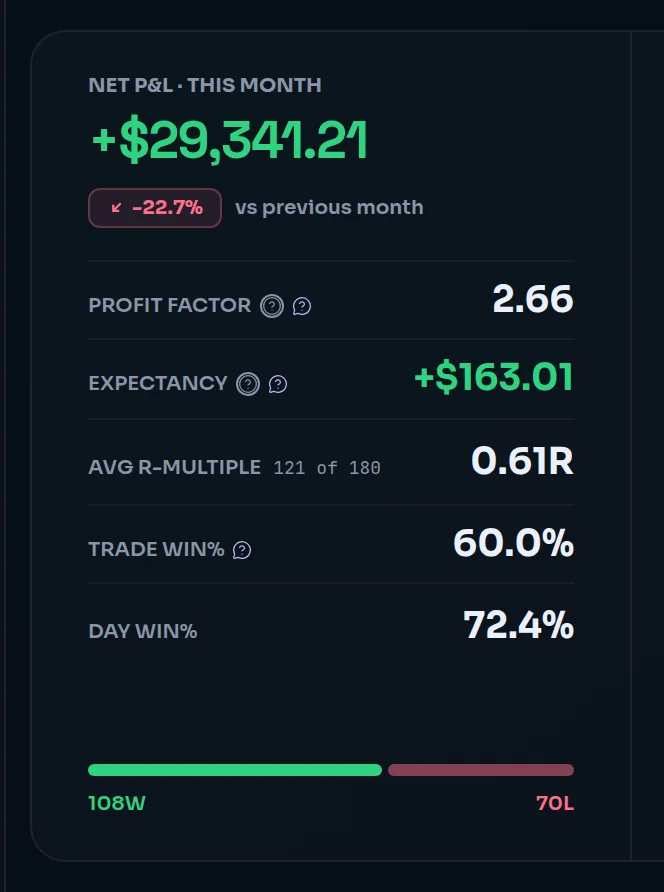
- Dashboard: the large figure at the top of the rail, labelled Net P&L with your range ("Net P&L · This month"). See read the day.
- Trade Log: the first figure in the stats bar above your trades, recalculated for your filters. See filter and search.
- Analytics: NET in the summary strip.
- Reports: the first row of the Overview ledger, labelled Net P&L or Gross P&L to match your basis, and in Compare. See the Overview tab.
Frequently asked questions#
What is the difference between net P&L and gross P&L?#
Gross P&L is what your trades made from price movement alone. Net P&L is gross minus commissions, exchange fees and swaps recorded on the trade. Limbix uses net by default on every screen because fees are part of what your trading costs. In Reports you can switch to Gross to see how much your edge is worth before costs, and every label changes to say so.
Why doesn't my net P&L match my broker statement?#
The usual cause is dates. Limbix files each trade under the day you opened it, in the timezone set in your profile, while many brokers report by close date or in exchange time. Open positions also count as €0 until they close. Finally, check that fees came through with the import: a trade without fees reads the same net and gross.
Does Limbix convert between currencies?#
No. Limbix stores no exchange rates and never converts. When your filter covers trades in more than one currency, the Trade Log shows Mixed instead of a total, and Analytics shows MIXED. Currency-free figures such as win rate and Avg R still show. Filter to a single account, or to accounts in one currency, to get a net P&L that means something.
Do open trades count in net P&L?#
Yes, at €0 until they close. An open position has no realized P&L, so it adds nothing to the total, but it is part of the trade set. The Reports ledger lists them in an Open trades row so you can see how many are in the range. Once you close the trade, its full P&L lands on the day you opened it.