
04 · Metrics
Equity Curve
An equity curve plots your cumulative P&L over time. How Limbix draws it from zero for the range you pick, what its shape tells you, and how to read it.
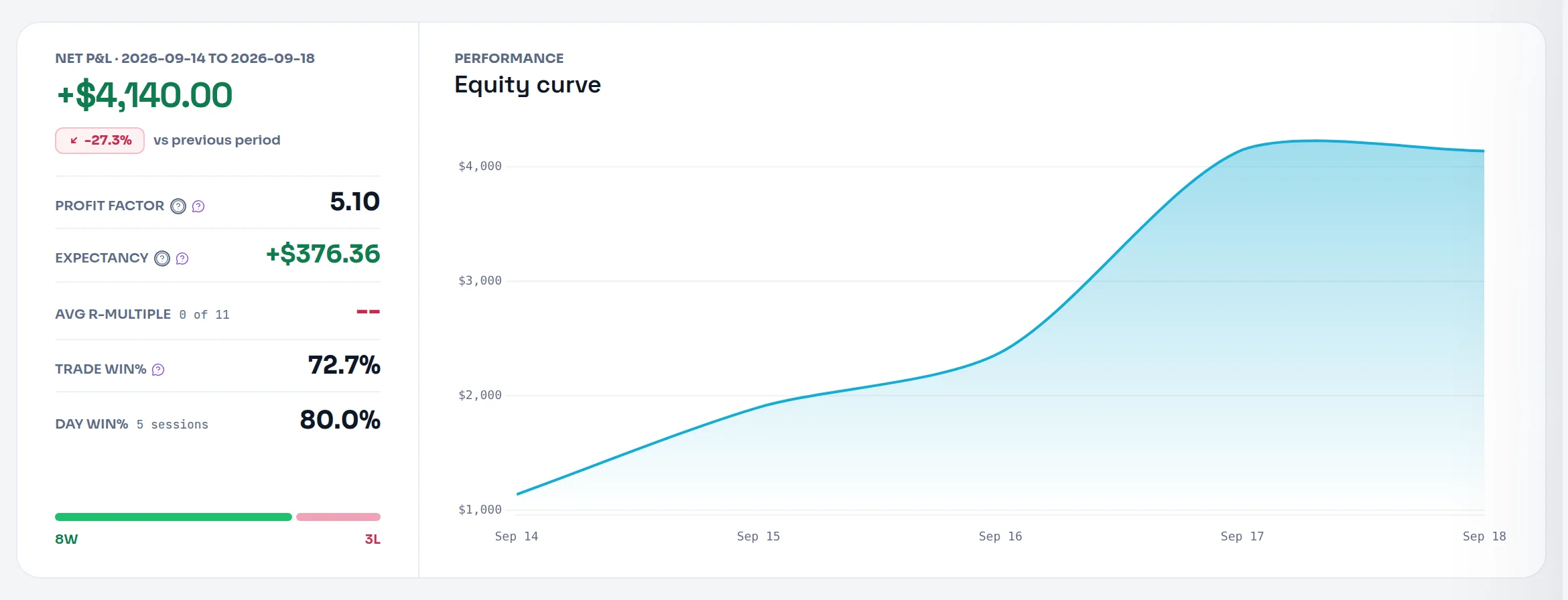
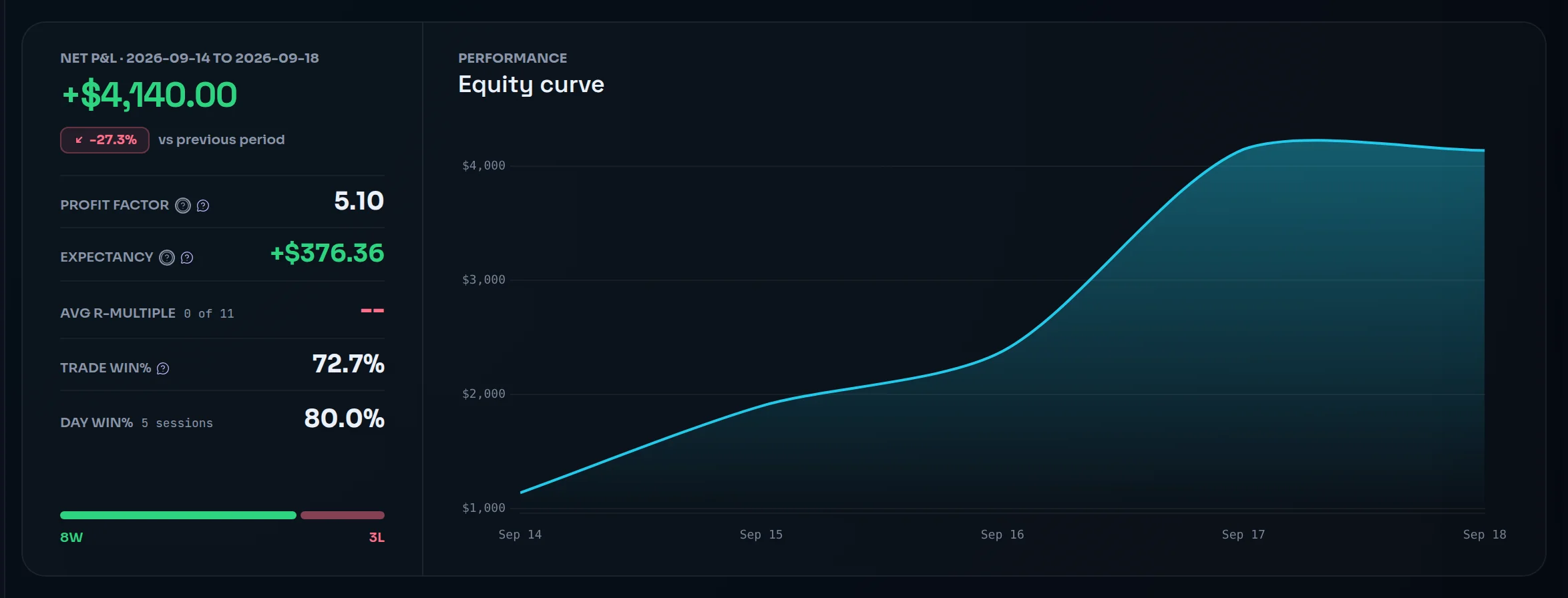
An equity curve is a line of your cumulative P&L over time: each point adds the latest results to everything before them. In Limbix the curve starts at zero at the beginning of the range you pick, so it shows what you made in that window. It is not your broker balance.
How it's calculated#
- E_t
- Cumulative P&L at point t on the chart, starting from €0
- P&L
- Each trade's P&L, net of fees (Gross in Reports if you switch)
src/lib/dashboard.tsHow many points the line has depends on where you look:
| Screen | One point per |
|---|---|
| Dashboard | Trading day |
| Reports | Day, week or month, as you choose |
| Reports › Compare (Equity curves) | Trade |
| A playbook's page | Trade |
Days are calendar days in your profile timezone, and each trade sits on the day you opened it. See trading day.
Worked example#
Ten trades across one week. The daily totals, and the Dashboard's curve through them:
| Day | Trades | Day's P&L | Curve |
|---|---|---|---|
| Mon | +€300, −€150 | +€150 | €150 |
| Tue | +€500, −€200 | +€300 | €450 |
| Wed | −€250, €0, +€600 | +€350 | €800 |
| Thu | −€100, −€300 | −€400 | €400 |
| Fri | +€200 | +€200 | €600 |
The curve ends at €600, your net P&L for the week.
Look at Wednesday. The daily line goes straight from €450 to €800. Trade by trade, your running total fell to €200 before the +€600 trade. The max drawdown for the week is −€450, deeper than any drop the daily line draws. That is why the number sits beside the chart.
When it shows "—"#
| Situation | What you see |
|---|---|
| No trades in the selected range | An empty chart. Reports says "No trades in this range to plot." |
| No trades logged at all | Reports says "The curve appears after your first logged day." |
| R unit on the Dashboard and no trade carries an R | The R unit is unavailable |
On the Dashboard you can redraw the curve in other units. % shows it as a percent of your account size and needs that size set. R sums each trade's realized R and leaves out trades with no R.
What does a good equity curve look like?#
The tooltip's guide: "Smooth and rising is the goal." The shape tells you things a total can't:
| Shape | What it usually reflects |
|---|---|
| Steady climb with shallow dips | Consistent size and a repeatable edge |
| Long flat stretches | Few trades, or wins and losses cancelling out |
| Staircase with big single steps | A few outlier trades carry the result |
| Sharp drops after climbs | Size crept up, or losing days you kept trading through |
Read it with Max Drawdown for the depth of the dips and Net Daily P&L for the days behind them. A curve over twenty trades is a sketch, not a verdict.
How to improve it#
A smoother curve comes from steadier execution:
- Risk the same amount on every trade. Uneven size makes jagged curves. See Risk Consistency.
- Stop at your daily limit. The sharpest drops are usually days that should have ended earlier. See set your risk limits.
- Find which setup carries the line. Reports draws Equity by playbook on the Strategies report, so you can see which playbook compounds and which bleeds. See breakdowns.
- Compare two periods. Compare overlays two curves trade by trade. See compare periods.
Where you'll see it#
- Dashboard: Equity curve, beside the performance rail, for your selected range. See switch period.
- Reports › Overview: the cumulative P&L chart ("Daily net cumulative P&L"), captioned with the peak and max drawdown. See the Overview tab.
- Reports › Calendar, Strategies (Equity by playbook) and Compare (Equity curves).
- Analytics: the running line over the Daily P&L bars, with where it ends ("ENDS AT") and, when you're below your high, how far ("PEAK … · DOWN …"). See drill down.
- Playbooks: a curve per playbook, one point per trade. See compare playbooks.
- Prop Hub: each prop account's page draws a different curve, from the account's starting balance. See breach distance.
Frequently asked questions#
What does a good equity curve look like?#
It rises steadily with shallow pullbacks, and no single trade carries the result. Smoothness matters because it reflects consistent size and a repeatable process. A curve that climbs in two big steps and drifts between them depends on outliers. One with sharp drops after strong runs often shows size creeping up. Judge the shape over enough trades to mean something.
Why doesn't my equity curve start at my account balance?#
Because Limbix plots cumulative P&L, starting from €0 at the beginning of the range you select. It reads your trades, not your broker balance, so the curve shows what you made or lost in that window. To see it as a share of your account, use the % unit on the Dashboard after setting your account size. Prop Hub account pages are the exception: they start from the account's starting balance.
Why doesn't the curve show my worst intraday drop?#
The Dashboard plots one point per day, so a dip that recovered before the day ended doesn't appear on the line. Limbix still measures it. The max drawdown printed in Reports comes from walking every trade in order, and it includes intraday troughs the daily line smooths over.
Can I see an equity curve per strategy?#
Yes. The Strategies report in Reports draws Equity by playbook, one line per playbook, so you can see which setup compounds and which one bleeds over time. You can also filter any screen to a single playbook, or use Compare to overlay two groups of trades.