
04 · Metrics
Win Rate
Win rate is winning trades ÷ all trades. How Limbix counts scratch and open trades, why 40% can beat 70%, and the break-even win rate for your payoff.
Win rate is the share of your trades that closed in profit: winning trades divided by all trades. Limbix counts a trade as a win only when its P&L is above zero, so a scratch that closed exactly flat stays in the total but never counts as a win. Win rate alone can't tell you whether you make money.
How it's calculated#
- Trades with P&L > 0
- Winners on the active basis. A trade at exactly €0 is not a winner
- All trades
- Every trade in your range and filters: winners, losers and scratches
src/lib/metrics.tsTry it#
The calculator opens with the worked example below: 4 winners, 5 losers and 1 scratch.
Worked example#
Your week holds ten trades. Four closed in profit (+€300, +€500, +€600, +€200). Five closed at a loss (−€150, −€200, −€250, −€100, −€300). One closed at exactly €0 after fees.
Win rate = 4 ÷ 10 × 100 = 40.0%
On the Dashboard, View formula in the tooltip reads "Winners / Total = 4 / 10 = 40.0%", and the line under the figure reads "4W / 5L of 10 trades". The one trade missing from 4W / 5L is the scratch.
Drop the scratch and you'd get 4 ÷ 9 = 44.4%. Limbix doesn't, because that scratch was a trade.
The basis can move a trade across the line. That scratch netted €0 after €8 of commission, so it made €8 before fees. Switch Reports to Gross and it becomes a winner: win rate reads 5 ÷ 10 = 50%.
When it shows "—"#
| Situation | What you see |
|---|---|
| No trades in the selected range | "—" on the Dashboard, "N/A" in Reports |
| A trade is still open | On the Dashboard and in Reports it counts in the total, as not winning. The Trade Log's stats bar leaves it out of the total |
Reports lists open positions in an Open trades row so you can see how many are in the denominator. Close or filter them out if you want a win rate over finished trades only.
What's a good win rate?#
The tooltip gives no number, only this: "Read together with Avg Win / Avg Loss." That is the honest answer. A win rate is good or bad only against the size of your wins and losses.
The win rate you need to break even depends on your average win ÷ average loss:
| Avg win ÷ avg loss | Break-even win rate |
|---|---|
| 0.5× | 66.7% |
| 1.0× | 50.0% |
| 1.5× | 40.0% |
| 2.0× | 33.3% |
| 3.0× | 25.0% |
Break-even win rate = 1 ÷ (1 + avg win ÷ avg loss), ignoring scratches.
In the example, your average win is €400 and your average loss €200, a 2.0× ratio. Break-even is 33.3%. At 40% you're above it, which is why trade expectancy comes out at +€60 per trade.
Reports paints win rate neutral, never green or red, for exactly this reason. A 38% book with 3R winners is a good system. A 70% book that gives it back on a few large losers is not.
How to improve it#
Chasing win rate on its own can cost you money. Improve the execution behind it instead:
- Don't close winners early to protect the number. A winner cut before its target raises win rate and shrinks your average win. Limbix flags it as a mistake. See mistake detectors.
- Take only the setups in your playbooks. Trades with no playbook are impulsive trades. Link a playbook to every trade: see link a playbook.
- Compare win rate by playbook. A setup that wins 30% at 3R and one that wins 60% at 0.8R need different fixes. See compare playbooks.
- Read wins and losses side by side. The Wins vs Losses report sets win count against average size. See breakdowns.
Where you'll see it#
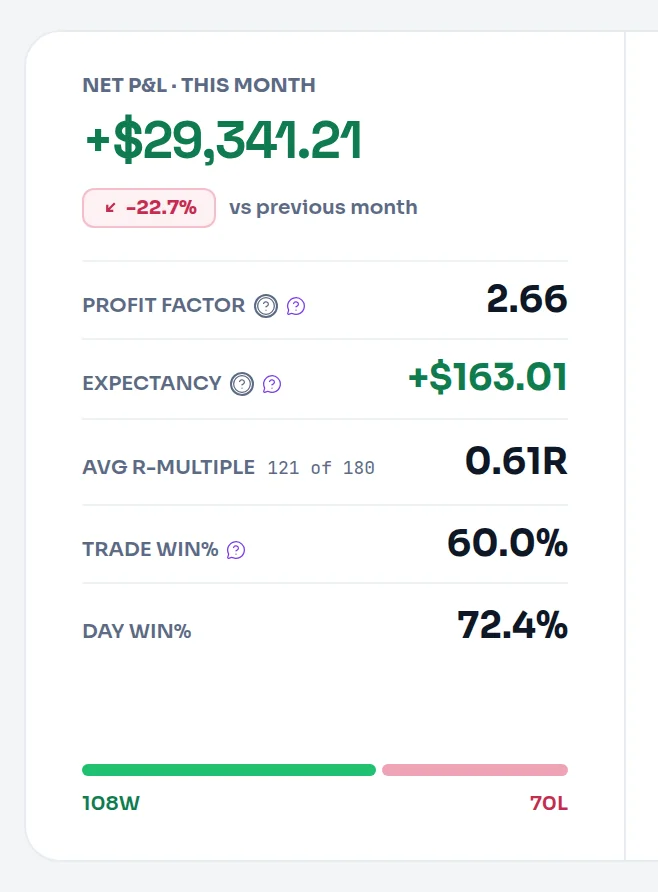
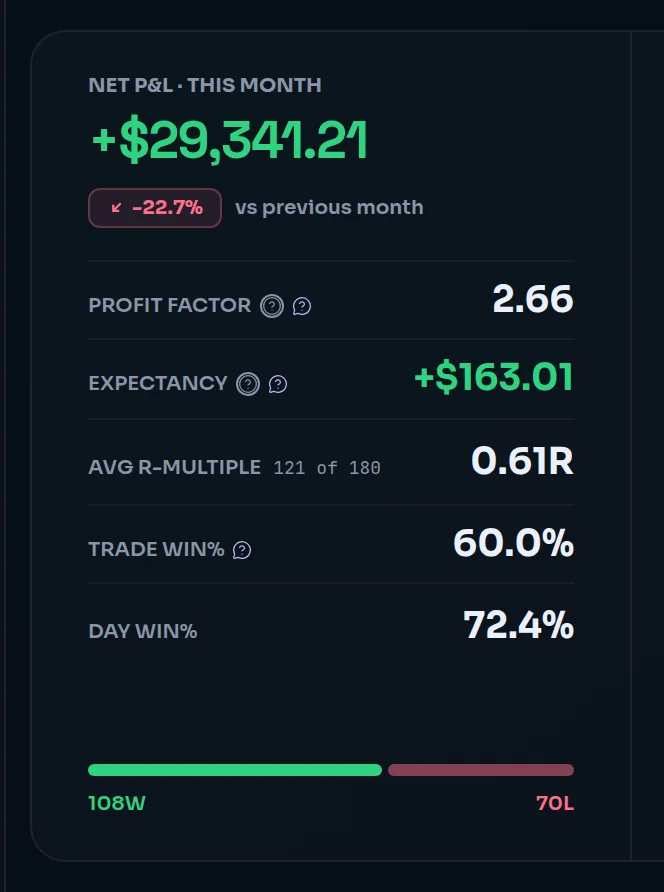
- Dashboard: Trade win% in the rail, with the win/loss count under it ("4W / 5L of 10 trades") and a bar split by winners and losers. See read the day.
- Trade Log: Win rate in the stats bar.
- Analytics: WIN in the summary strip.
- Reports: Win % in the Overview ledger, the KPI cards, the per-bucket tables and Compare. Reports shows whole percents. See the Overview tab.
- Playbooks: WIN RATE on each playbook's page.
Frequently asked questions#
Is a 60% win rate good?#
It depends on your payoff. At 60%, you break even when your average win is about two-thirds of your average loss (0.67×). If your winners are bigger than that, 60% is profitable. If you take small profits and let losers run to twice their size, 60% loses money. Check your Avg Win / Avg Loss before judging the win rate.
Does a break-even trade count as a win or a loss?#
Neither. Limbix counts a trade as a win only when its P&L is above zero and as a loss only below zero. A scratch at exactly €0 stays in the total, so it lowers your win rate slightly. That is why the Dashboard can show "4W / 5L of 10 trades": the tenth trade is the scratch, counted in the total and in neither column.
What is the difference between Trade win% and Day win%?#
Trade win% divides winning trades by all trades. Day win% divides green days by all days you traded, where a day's result is the sum of every trade you opened on it. Ten trades can give you a 40% trade win rate and an 80% day win rate if the losers cluster on one day. Both appear on the Dashboard rail. See Net Daily P&L.
How can I be profitable with a win rate below 50%?#
By winning more on your winners than you lose on your losers. With an average win twice your average loss, you break even at 33.3% and make money above it. Many trend and breakout styles run below 50% for this reason. What matters is trade expectancy: win rate × average win − loss rate × average loss.