
04 · Metrics
Net Daily P&L
Net daily P&L totals every trade you opened on a day, after fees. How Limbix defines a trading day, reads green and red days, and what Day win% means.
Net daily P&L is the total profit or loss of every trade you opened on a given day, after fees. Limbix files each trade under the calendar day it was opened, in the timezone set in your profile. That way a trade, its emotion tag, its playbook and your discipline score for the day all land on the same date.
How it's calculated#
- Day d
- A calendar day, midnight to midnight, in your profile timezone
- P&L
- Each trade's P&L after fees (Gross in Reports if you switch)
src/lib/dashboard.tsA day you didn't trade has no bar. A day whose trades net exactly €0 counts as a session, but as neither green nor red.
Worked example#
Ten trades across a week, grouped by the day you opened them:
| Day | Trades | Net daily P&L |
|---|---|---|
| Mon | +€300, −€150 | +€150 |
| Tue | +€500, −€200 | +€300 |
| Wed | −€250, €0, +€600 | +€350 |
| Thu | −€100, −€300 | −€400 |
| Fri | +€200 | +€200 |
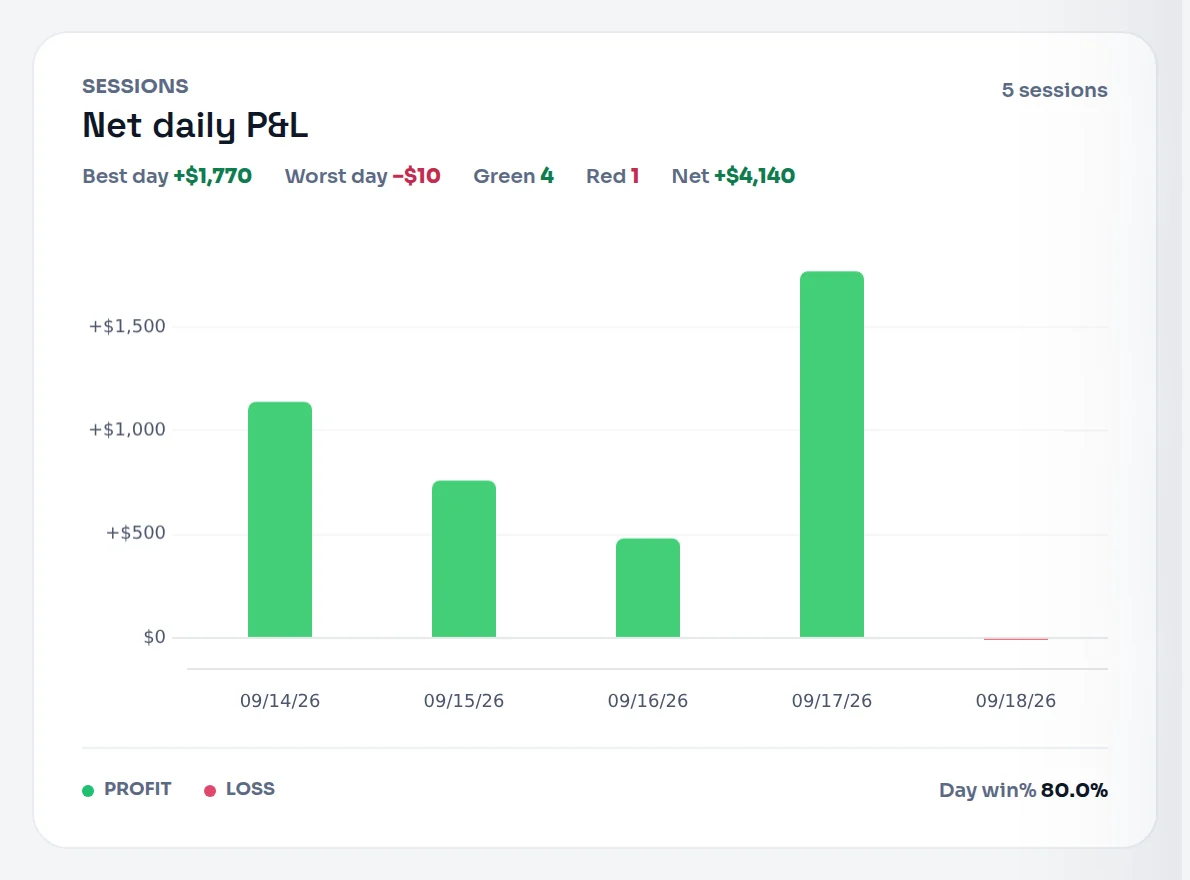
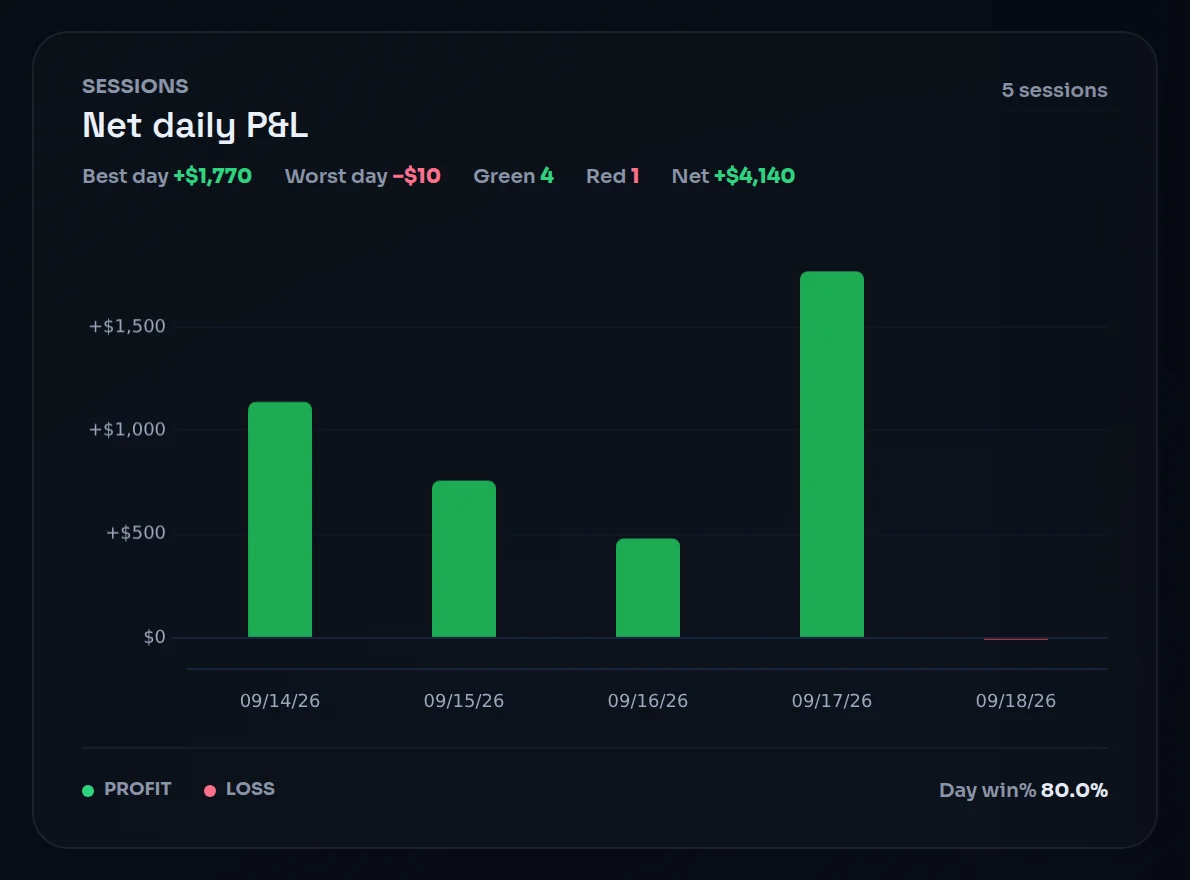
The Net daily P&L card reads: Best day +€350 · Worst day −€400 · Green 4 · Red 1 · Net +€600.
Day win% = 4 green days ÷ 5 sessions = 80.0%. Over the same trades, your trade win rate is 40%. Winners and losers mixed within days, and only Thursday closed red.
Notice Thursday. One red day took back more than Wednesday's gain. A high Day win% with one oversized red day is a common shape, and the card puts both ends side by side so you see it.
When it shows "—"#
| Situation | What you see |
|---|---|
| No trades in the selected range | An empty chart, and Day win% reads "—" |
| Only one session in the range | Best day and Worst day read "—": one day can't be both ends of a spread |
| A day's trades net exactly €0 | It counts as a session but not as green or red |
What is a good daily P&L pattern?#
The tooltip's guide: "More green bars than red, over time." It's a fair start, but the count alone can mislead. Four green days of +€150 to +€350 and one red day of −€400 is a thin week, not a strong one.
Check two things on the card:
- Worst day against best day. If your worst day is regularly bigger than your best, one bad session sets your week. Set a max daily loss.
- Where the red days come from. Open a red day and look at its trades. Late trades, trades past your stand-down line and trades with no playbook tend to cluster there.
How to improve it#
- Set a max daily loss and respect it. Trades opened after it is hit are counted against your Exposure Discipline. See set your risk limits.
- Set a stand-down line. Decide in advance when your day is over ("after 2 rule breaks"). Limbix counts every trade past it. See stand-down line.
- Review your red days one by one. Open any day to see its trades, emotions and discipline score. See open a day.
- Find your weak hours and weekdays. The Day & Time report splits your P&L by hour and by weekday. See breakdowns.
Where you'll see it#
- Dashboard: the Net daily P&L card, one bar per session with the session count, Best day, Worst day, Green, Red and Net. The P&L calendar colours each day the same way. See the P&L calendar.
- Dashboard rail: Day win%, with the session count beside it when the range is short.
- Analytics: the Daily P&L chart. See drill down.
- Reports: Daily net P&L bars on the Overview, Winning days and Losing days in the ledger, and the Calendar tab. See the calendar.
Frequently asked questions#
Which timezone does Limbix use for daily P&L?#
The one set in your profile. Each trade is filed under the calendar day it was opened, midnight to midnight, in that timezone. If you change it in Settings, Limbix recomputes your history so every day is regrouped under the new zone. Set it before you import, so your days match your sessions from the start. See your profile settings.
Why is a trade showing on the wrong day?#
Most often because it was opened on a different calendar day in your profile timezone than the one you expected. A futures session that starts in the evening can open trades on one date and close them on the next; Limbix files them under the open date. Check your timezone in Settings, and remember that close date never moves a trade.
What is the difference between Day win% and win rate?#
Win rate counts trades: winning trades ÷ all trades. Day win% counts days: green days ÷ all days you traded, where a day's result is the sum of its trades. You can win 40% of trades and 80% of days if your losers bunch together. Read both on the Dashboard rail, and trust neither without the size of the red days.
Do overnight trades count on the day they close?#
No. Limbix files every trade under the day it was opened, in your profile timezone. A position opened Thursday evening and closed Friday morning belongs to Thursday. That keeps each trade on the same day as its emotion tag, its playbook check and your discipline score for that session.